

Plex to Letterboxd
5.0(
1 rating
)ExtensionTools231 users

Overview
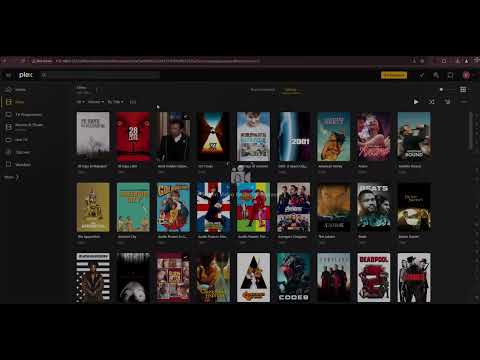
Export films from Plex to Letterboxd CSV format.
1. Add the extension to your browser. 2. Open your Plex client http://127.0.0.1:32400/ 3. Go to Films and Library 4. Click the extension, pick the movie libraries to export and click Export CSV 5.Import the file at https://letterboxd.com/import/ (diary) or into a list Options: Only watched films - skip films you haven't played. Include watched date and rating - adds WatchedDate (last played) and Rating10 (your Plex star rating) for importing watch history into your diary. Leave it off for list imports. Films that are in several libraries are exported once. Watch status and ratings are those of the Plex user signed in to the tab.
5 out of 51 rating
Details
- Version2.0
- UpdatedOctober 7, 2026
- Offered byvaibit
- Size16.42KiB
- LanguagesEnglish
- Developer
Email
vignatavicius1@gmail.com - Non-traderThis developer has not identified itself as a trader. For consumers in the European Union, please note that consumer rights do not apply to contracts between you and this developer.
Privacy

Manage extensions and learn how they're being used in your organization
The developer has disclosed that it will not collect or use your data.
This developer declares that your data is
- Not being sold to third parties, outside of the approved use cases
- Not being used or transferred for purposes that are unrelated to the item's core functionality
- Not being used or transferred to determine creditworthiness or for lending purposes