Item logo image for DeepWiki to Markdown

DeepWiki to Markdown

5.0(

1 rating

)
Item media 6 (screenshot) for DeepWiki to Markdown
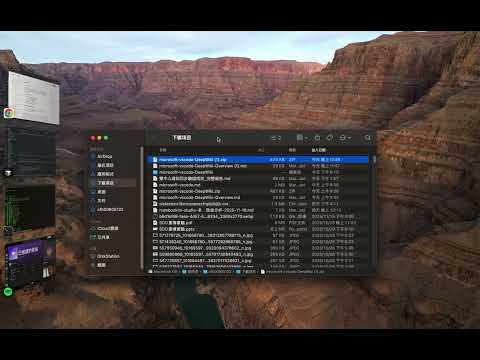
Item video thumbnail
Item media 2 (screenshot) for DeepWiki to Markdown
Item media 3 (screenshot) for DeepWiki to Markdown
Item media 4 (screenshot) for DeepWiki to Markdown
Item media 5 (screenshot) for DeepWiki to Markdown
Item media 6 (screenshot) for DeepWiki to Markdown
Item video thumbnail
Item media 2 (screenshot) for DeepWiki to Markdown
Item media 3 (screenshot) for DeepWiki to Markdown
Item media 4 (screenshot) for DeepWiki to Markdown
Item media 5 (screenshot) for DeepWiki to Markdown
Item media 6 (screenshot) for DeepWiki to Markdown

Overview

Convert DeepWiki page content to Markdown format and save it

# DeepWiki to Markdown Extension Convert DeepWiki documentation pages to Markdown format for local editing, backup, and archiving. ## Key Features ✅ **Single Page Download** - Convert and save individual documentation pages as Markdown files ✅ **Batch Download (ZIP)** - Download entire documentation projects with all subpages organized in a ZIP archive ✅ **Single File Mode** - Merge all pages into one comprehensive Markdown document ✅ **Advanced Conversion** • Preserves code blocks with syntax highlighting • Converts Mermaid diagrams (flowcharts, sequence diagrams, etc.) • Maintains document structure and formatting • Handles tables, lists, and nested content • Extracts metadata (last indexed date) ## Perfect For - Creating local backups of documentation - Offline reading and reference - Repurposing content for blogs or notes - Preserving knowledge from GitHub repositories - Importing documentation into note-taking apps ## How to Use 1. Visit any DeepWiki documentation page (https://deepwiki.com) 2. Click the extension icon in your toolbar 3. Choose your download option: - Download Current Page (single file) - Download All Pages (ZIP archive) - Download as one md file (merged document) ## Supported Sites - https://deepwiki.com/*

Details

  • Version
    0.1.7
  • Updated
    December 3, 2025
  • Offered by
    Philipz
  • Size
    123KiB
  • Languages
    English (United States)
  • Developer
    Cheng Chun-Yin
    長安西路250號 大同區, 台北市 103 TW
    Email
    philipzheng@gmail.com
    Phone
    +886 910 397 206
  • Trader
    This developer has identified itself as a trader per the definition from the European Union and committed to only offer products or services that comply with EU laws.

Privacy

The developer has disclosed that it will not collect or use your data. To learn more, see the developer’s privacy policy.

This developer declares that your data is

  • Not being sold to third parties, outside of the approved use cases
  • Not being used or transferred for purposes that are unrelated to the item's core functionality
  • Not being used or transferred to determine creditworthiness or for lending purposes

Support

Related

Feishu Doc Exporter

4.5

提取飞书文档页面的内容并将其转换为 Markdown 格式。

HTML to Markdown Converter

5.0

Convert HTML content to Markdown format with advanced formatting support

DeepSeek Exporter - Extract chat convos easily

4.2

Extract and save DeepSeek conversations to Markdown, Text, JSON and CSV.

Website To Markdown

5.0

Convert websites to Markdown

MarkdownIt - Markdown Web Clipper

5.0

Markdown any web content

Web2Markdown - Markdown Web Clipper

5.0

Export any web content to Markdown format

HTML to Markdown

5.0

Convert webpages to Markdown. Easily convert headers, text, tables or code snippets to Markdown.

Webpage to Markdown

5.0

Converts the current webpage to Markdown.

ToMarkdown

0.0

A toolkit for converting documents to Markdown format

Webpage to Markdown

4.6

Convert any webpage to Markdown format with a single click

Copy To Markdown

5.0

Convert copied content to markdown format

Markdown Clipper

0.0

Extract main webpage content and convert to Markdown.

Feishu Doc Exporter

4.5

提取飞书文档页面的内容并将其转换为 Markdown 格式。

HTML to Markdown Converter

5.0

Convert HTML content to Markdown format with advanced formatting support

DeepSeek Exporter - Extract chat convos easily

4.2

Extract and save DeepSeek conversations to Markdown, Text, JSON and CSV.

Website To Markdown

5.0

Convert websites to Markdown

MarkdownIt - Markdown Web Clipper

5.0

Markdown any web content

Web2Markdown - Markdown Web Clipper

5.0

Export any web content to Markdown format

HTML to Markdown

5.0

Convert webpages to Markdown. Easily convert headers, text, tables or code snippets to Markdown.

Webpage to Markdown

5.0

Converts the current webpage to Markdown.

Google apps