


Overview
Bulk convert Google Docs & Word files to PDF. Merge documents. Perfect for teachers & professionals. Fast, secure & seamless.
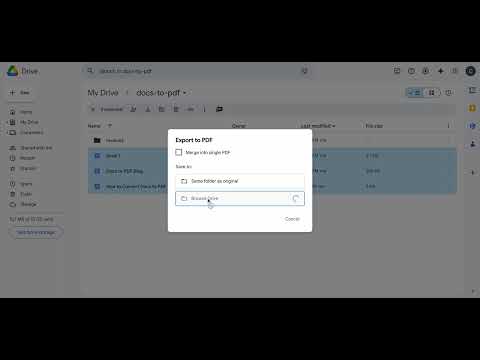
Docs to PDF — Convert & Merge Google Docs and Word Files in Seconds Convert multiple Google Docs and Word (.docx) files to PDF without ever leaving Google Drive. No extra software, no downloads, no wasted time. Select your files, choose your destination folder, and convert — that's it. ✅ What you can do: 📄 Batch convert Google Docs and Word files to PDF in one go 🔗 Merge multiple documents into a single, clean PDF 📁 Choose where your PDFs land in Google Drive 🔐 Password-protect your PDFs before exporting 🚀 Works directly inside Google Drive — nothing to install separately Built for professionals who deal with documents daily. Whether you're preparing reports, sending proposals, compiling handouts, or archiving records — Docs to PDF saves you the manual back-and-forth every time. 🔒 Your files stay yours. Everything runs through your own Google account. We don't store, process, or access your documents. 💡 Start free with 25 conversions. Upgrade to Pro ($10/month) for 500 conversions, or Business ($25/month) for up to 5,000 per month. Prefer to pay once? Lifetime access available for €29.
5 out of 55 ratings
Details
- Version1.24
- UpdatedMay 19, 2026
- FeaturesOffers in-app purchases
- Size787KiB
- LanguagesEnglish
- DeveloperWebsite
Email
corbihael@gmail.com - Non-traderThis developer has not identified itself as a trader. For consumers in the European Union, please note that consumer rights do not apply to contracts between you and this developer.
Privacy

This developer declares that your data is
- Not being sold to third parties, outside of the approved use cases
- Not being used or transferred for purposes that are unrelated to the item's core functionality
- Not being used or transferred to determine creditworthiness or for lending purposes
Support
For help with questions, suggestions, or problems, visit the developer's support site