


Overview
Browser security and permission control with redirect analysis, UX scam signals, temporary grants, and extension auditing.
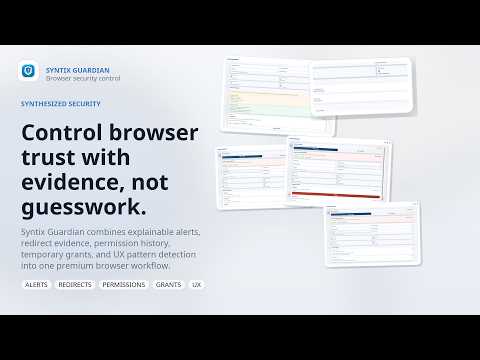
Syntix Guardian helps you detect suspicious browsing behavior before it turns into a mistake. It monitors redirect chains, scans pages for scam-like UX patterns, and gives you clear, explainable alerts in a side panel with actionable steps. The extension is built with a privacy-first model: data is stored locally in your browser, and host access is always user-controlled. Key capabilities: - Redirect risk analysis with explainable reasons - UX scam signal scan (fake urgency, deceptive prompts, suspicious overlays, redirect hints) - Real-time notifications and badge alerts for high-risk events - Incident timeline in Side Panel (“Why this alert” evidence) - Temporary site permission grants with auto-expiry and rollback - Optional extension audit mode (management permission, on user request only) - Optional domain blocklist via Declarative Net Request rules - Scan exclusions and configurable retention/privacy settings Privacy and control: - No hidden permission prompts - Optional host access can be granted per site or globally - URL query storage is disabled by default - Optional hostname obfuscation mode for local logs How To Use (User Instruction) Quick start: 1. Install Syntix Guardian. 2. Click the extension icon to open the Side Panel. 3. On first setup, choose: - “Enable for all sites” for full automatic monitoring, or - “Not now” to keep on-demand/per-site mode. Daily usage: 1. Open Popup for quick actions: - Run “Scan UX patterns” on the current tab. - Apply temporary permission grants if needed. 2. Watch Side Panel: - Review Security Alerts. - Open “Why this alert” for evidence and risk reasons. - Click “Enable protection on this site” when host access is required. 3. Use notifications: - High-risk incidents trigger system notifications. - Click notification to jump to the panel and act immediately. Settings: 1. Open Options page. 2. Configure: - UX scan on/off - Auto host access hint behavior - Privacy options (store query params, hostname obfuscation) - Scan exclusions - Blocked domains - Data retention 3. Use “Revoke all optional access” anytime to reset optional permissions.
0 out of 5No ratings
Details
- Version1.0
- UpdatedApril 4, 2026
- Size507KiB
- LanguagesEnglish
- DeveloperВладислав ФокинWebsite
Богатырский проспект, дом 52, корпус 1, лит. А 385 Санкт-Петербург, Санкт-Петербург 197082 RUEmail
support@digisyntix.comPhone
+7 988 535-10-39 - TraderThis developer has identified itself as a trader per the definition from the European Union and committed to only offer products or services that comply with EU laws.
Privacy

Syntix Guardian has disclosed the following information regarding the collection and usage of your data. More detailed information can be found in the developer's privacy policy.
Syntix Guardian handles the following:
This developer declares that your data is
- Not being sold to third parties, outside of the approved use cases
- Not being used or transferred for purposes that are unrelated to the item's core functionality
- Not being used or transferred to determine creditworthiness or for lending purposes
Support
For help with questions, suggestions, or problems, please open this page on your desktop browser