

SitePrinter - Screenshot to PDF

Overview
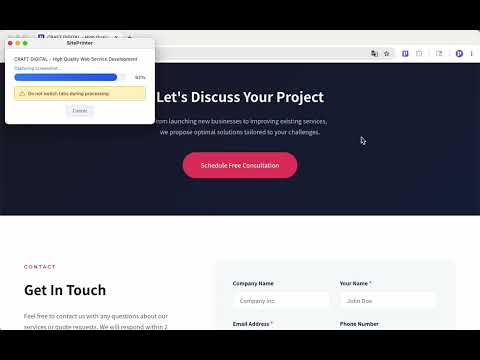
Capture web page screenshots and auto-layout in A4/A3/Letter/Legal with 1–4 columns. Create compact, well-organized PDFs.
Capture web page screenshots and auto-layout them in A4/A3/Letter/Legal size with 1–4 columns. Create compact, highly organized PDFs with fewer pages. ━━━━━━━━━━━━━━━━━━━━ PDF Output ━━━━━━━━━━━━━━━━━━━━ ・Auto-scrolls and captures the entire page ・Capture multiple tabs and combine into one PDF ・Supports A4 / A3 / Letter / Legal paper sizes ・1, 2, 3, or 4 column layout options ・Organize long pages compactly with multi-column layout ・Reduce page count while keeping content easy to read ・JPEG (lightweight) / PNG (high quality) support ・Overlap adjustment to minimize content cutoff at page breaks ━━━━━━━━━━━━━━━━━━━━ Header & Footer ━━━━━━━━━━━━━━━━━━━━ ・Automatically adds page title, URL, and favicon ・Displays capture date/time and page number ・Notes when "Reload & Capture" mode was used ・Header and footer can be toggled on/off ━━━━━━━━━━━━━━━━━━━━ Ease of Use ━━━━━━━━━━━━━━━━━━━━ ・Launch instantly from the extension icon ・Right-click context menu support ・Automatically saves your last settings ・"Reload & Capture" mode reloads the page before capturing ━━━━━━━━━━━━━━━━━━━━ Perfect For ━━━━━━━━━━━━━━━━━━━━ ・Printing web pages as-is ・Archiving long pages as compact PDFs ・Saving competitor sites or reference pages ・Creating evidence or report documents ・Recording pages with URL and capture timestamp ・Improving readability with multi-column layout ━━━━━━━━━━━━━━━━━━━━ Free Plan / Pro Plan ━━━━━━━━━━━━━━━━━━━━ [Free Plan] ・A4 / Letter PDF output ・1-column layout ・JPEG / PNG format selection ・Right-click context menu support [Pro Plan] ・All Free plan features ・A3 / Legal paper size support ・2, 3, and 4 column layouts ・Header & footer output ・Overlap adjustment ・Monthly subscription ━━━━━━━━━━━━━━━━━━━━ Privacy ━━━━━━━━━━━━━━━━━━━━ ・Screenshot data is never sent to external servers ・All processing happens locally in your browser Privacy Policy https://extension.siteprinter.jp/privacy/ ━━━━━━━━━━━━━━━━━━━━ FAQ ━━━━━━━━━━━━━━━━━━━━ Q. Can I capture long pages? A. Yes. The extension auto-scrolls to capture the entire page. Q. Can I export PDFs on the free plan? A. Yes. A4/Letter size with 1-column layout is available for free. Q. Are videos and animations captured? A. The content visible at capture time is recorded as-is. Note that some video players or pages using special rendering may not be captured correctly.
5 out of 52 ratings
Details
- Version1.1.0
- UpdatedJune 2, 2026
- FeaturesOffers in-app purchases
- Size1.65MiB
- Languages2 languages
- DeveloperWebsite
Email
siteprinter.jp@gmail.com - Non-traderThis developer has not identified itself as a trader. For consumers in the European Union, please note that consumer rights do not apply to contracts between you and this developer.
Privacy

SitePrinter - Screenshot to PDF has disclosed the following information regarding the collection and usage of your data. More detailed information can be found in the developer's privacy policy.
SitePrinter - Screenshot to PDF handles the following:
This developer declares that your data is
- Not being sold to third parties, outside of the approved use cases
- Not being used or transferred for purposes that are unrelated to the item's core functionality
- Not being used or transferred to determine creditworthiness or for lending purposes
Support
For help with questions, suggestions, or problems, visit the developer's support site