


Overview
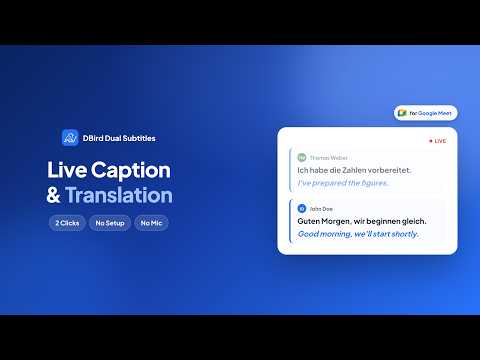
Live captions and real-time translation for Google Meet. Runs in your browser — 100% private. No bot, no audio access required.
WHY USE DBird • Translate Google Meet captions instantly • See both original and translated captions together • No bot, no audio access required KEY FEATURES • Real-time dual subtitles for Google Meet • Supports bilingual caption combinations • Uses Chrome's built-in translation — no external servers • Lightweight, fast, and privacy-friendly HOW TO USE • Join a Google Meet meeting • Turn on captions in Meet • Open the DBird extension and choose your languages • Start seeing dual live captions instantly PRIVACY DBird never collects or stores meeting data. All translation runs locally through Chrome's built-in AI engine. Learn more: https://dbird.app Support: team@dbird.app
0 out of 5No ratings
Details
- Version1.2.2
- UpdatedSeptember 25, 2026
- FeaturesOffers in-app purchases
- Size239KiB
- Languages6 languages
- DeveloperWebsite
Email
team@dbird.app - Non-traderThis developer has not identified itself as a trader. For consumers in the European Union, please note that consumer rights do not apply to contracts between you and this developer.
Privacy

DBird Dual Live Captions & Translation for Google Meet has disclosed the following information regarding the collection and usage of your data. More detailed information can be found in the developer's privacy policy.
DBird Dual Live Captions & Translation for Google Meet handles the following:
This developer declares that your data is
- Not being sold to third parties, outside of the approved use cases
- Not being used or transferred for purposes that are unrelated to the item's core functionality
- Not being used or transferred to determine creditworthiness or for lending purposes
Support
For help with questions, suggestions, or problems, please open this page on your desktop browser