

DBird Dual: Live Meeting Translation – Teams, Zoom & Google Meet

Overview
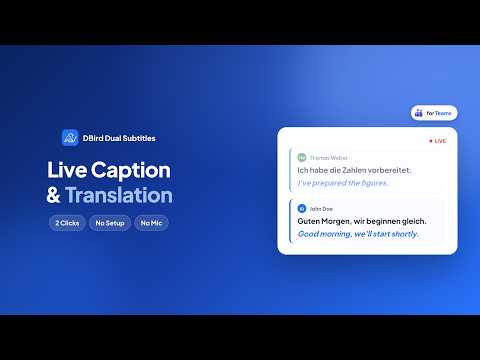
Live captions & real-time translation, speaker by speaker. Meeting transcript & AI summary. 100% private, no bot or audio access.
WHY USE DBird Dual - Live meeting translation — understand every word, even when the meeting is in another language - See both original captions and translation simultaneously - 100% private — no bot, no audio access, nothing stored on any server - Save full meeting transcripts to review anytime - Take your own notes during the meeting with the built-in note taker - Get an AI-generated summary of your meeting after the call MADE FOR - International teams working across languages - Students in online lectures held in a foreign language - Interviews, client calls and onboarding with colleagues abroad - Anyone learning a language while using it at work KEY FEATURES - Real-time translation with dual captions / dual subtitles for Microsoft Teams, Zoom & Google Meet - Speaker-by-speaker view — see who said what, in your language - Two display modes — Inline (below captions) or Floating - Note taker — write your own notes during the meeting, right next to the captions - Save meeting transcripts locally — review, copy, or share with AI - AI meeting summary — generated after your call, in your translation language - Live translation runs locally with Chrome's built-in translation - Lightweight, fast, and privacy-friendly HOW TO USE - Join a Microsoft Teams, Zoom, or Google Meet meeting - Turn on Live Captions in your meeting app — that's how DBird Dual works without any microphone or audio access - Open the DBird Dual extension and choose your languages - See dual captions instantly — original + translation LANGUAGES Translate between 30+ languages, including English, Spanish, Portuguese, Italian, German, French, Turkish, Polish, Romanian, Chinese, Japanese, Korean, Arabic and Vietnamese. You can find all supported languages on our website: https://dbird.app PRIVACY — 100% PRIVATE Your meetings stay yours. Captions, translations and transcripts stay in your browser — live translation runs locally through Chrome's built-in AI engine. When generating the AI summary, nothing is stored on any server. Learn more: https://dbird.app Support: team@dbird.app
4.9 out of 512 ratings
Details
- Version2.1.8
- UpdatedOctober 17, 2026
- FeaturesOffers in-app purchases
- Size277KiB
- Languages6 languages
- DeveloperWebsite
Email
team@dbird.app - Non-traderThis developer has not identified itself as a trader. For consumers in the European Union, please note that consumer rights do not apply to contracts between you and this developer.
Privacy

DBird Dual: Live Meeting Translation – Teams, Zoom & Google Meet has disclosed the following information regarding the collection and usage of your data. More detailed information can be found in the developer's privacy policy.
DBird Dual: Live Meeting Translation – Teams, Zoom & Google Meet handles the following:
This developer declares that your data is
- Not being sold to third parties, outside of the approved use cases
- Not being used or transferred for purposes that are unrelated to the item's core functionality
- Not being used or transferred to determine creditworthiness or for lending purposes
Support
For help with questions, suggestions, or problems, please open this page on your desktop browser