

Daylight: Turn Off Dark Mode

Overview
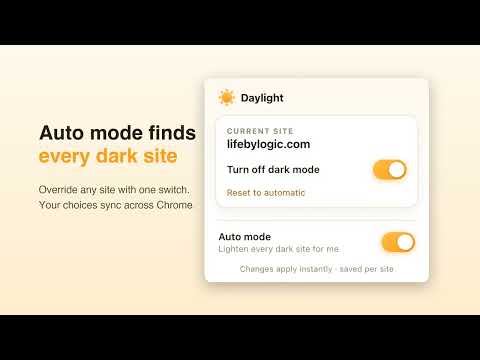
Turn off dark mode on any website. Lightens dark sites automatically or per site with one click. No sign-up, no tracking.
Free. No monetization strategy. I just noticed this doesn't exist, and I need it. So sharing with anyone else who may also need it. Some sites are dark whether you like it or not, and for some people dark backgrounds cause eye strain, glare halos, or plain dizziness. Daylight puts you back in charge. Install it and dark websites simply turn light. Auto mode detects pages with a dark background and lightens them for you. Prefer manual control? Switch auto mode off and flip the switch per site instead. Either way, your choices are saved and sync across your signed-in Chrome. Features • Works on any website with a dark theme, automatically. • One-click override per site, in either direction. Keep a site dark or force it light. • Works even on sites that hard-code their dark theme. • Images, video, and photos keep their real colours. • Completely free. No account, no ads, no tracking, no data collection. Daylight only changes how a page looks in your own browser. It never sends anything anywhere.
0 out of 5No ratings
Details
- Version1.0.0
- UpdatedJuly 9, 2026
- Offered byJohannes Dommnich
- Size13.48KiB
- LanguagesEnglish
- Developer
Email
jdommnich@gmail.com - Non-traderThis developer has not identified itself as a trader. For consumers in the European Union, please note that consumer rights do not apply to contracts between you and this developer.
Privacy

This developer declares that your data is
- Not being sold to third parties, outside of the approved use cases
- Not being used or transferred for purposes that are unrelated to the item's core functionality
- Not being used or transferred to determine creditworthiness or for lending purposes
Support
For help with questions, suggestions, or problems, visit the developer's support site