


Overview
Point at a bug, say what you expected, and your AI coding agent fixes it. Free, no account. For Claude Code, Codex and Cursor.
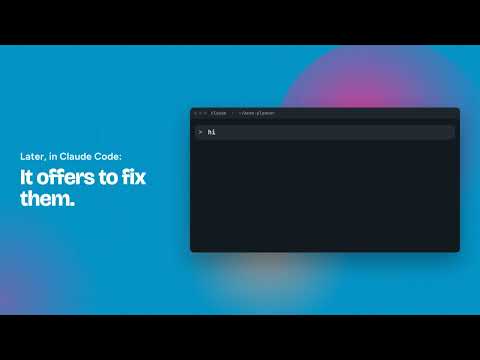
Spot a bug in your app, point at it, and your AI coding agent fixes it. Darnly is free, needs no account, and works with Claude Code, Codex and Cursor. No more screenshot, switch apps, find the file, drag it in and explain it all again. HOW IT WORKS 1. Press Option+Shift+B on any page, on localhost or your live site. 2. Click the broken part. A red box follows your cursor. Hold Shift to mark several parts for one bug. 3. Type what you expected and press Enter, or press Talk and say it. Keep testing; capture as many as you like. Review mode: click, say what's wrong, pause, click the next one. One bug per click, no typing. 4. In your agent, type /darnly. It fixes the list, and Darnly tells you "1 bug fixed. Take a look." with one line on what changed. The Darnly icon shows how many bugs are still waiting. WHAT YOUR AGENT GETS - A screenshot with the broken part boxed in red and your note on it - The element you clicked: selector, text, HTML and styles - On localhost, the file and component that drew it (React, Vue or Svelte), including where a shared component is used, so your agent changes just this one - "Change only this one" or "Change all like it", with the look-alike elements named, so asking for one blue button doesn't restyle every button - The card or section around it, and how wide your window was - The steps that led to the bug, so your agent can get to the same screen - The shape of the data behind the element: which fields are empty, how long the text is, how old the record is. Never the real values. - Console errors, failed requests and slow requests - The page address and title WHY NOT JUST USE YOUR AGENT'S BROWSER? Your agent's browser is for when you're coding. Darnly is for when you're not: spot bugs while you use or test your app, a few seconds each, and let any agent fix them later. Capturing makes no AI calls, so you can keep going while your usage limit resets. Switch agents whenever you like; your bug list comes with you. WHERE THE REPORT GOES - Code on your computer: link your project folder once. Bugs are saved as files in .darnly/inbox/ and your agent finds them there. - Code in the cloud: sign in once and bugs go to your private Darnly inbox, which your agent reads through MCP. Or copy and paste a bug into any agent's chat. - Darnly is in Claude's connector directory, so Claude adds it in a few clicks: https://claude.ai/directory/61d14810-2780-48d5-896e-6368a039d0d4 PRIVATE BY DEFAULT - No account needed. Without the optional cloud inbox, nothing leaves your computer unless you paste it. - Passwords, card numbers, tokens, cookies, API keys and email addresses are hidden before anything is saved or sent. - Steps say where you clicked and typed, never what you typed. - Talking is optional. Chrome's speech recognition turns your words into the note; Darnly never keeps the audio. - The data behind an element is described by its shape only. Real values never leave your browser. - Errors and steps are recorded on localhost straight away; you switch on live sites one at a time. Made for people who build with AI coding agents, developer or not. Works in Chrome, Edge, Brave and Arc on Mac. Windows is coming soon. Setup guide: https://darnly.dev/setup/ What's new: https://darnly.dev/changelog/ Questions: hello@darnly.dev
0 out of 5No ratings
Details
- Version0.3.5
- UpdatedNovember 10, 2026
- Size147KiB
- LanguagesEnglish
- DeveloperWebsite
Email
ram.venkat578@gmail.com - Non-traderThis developer has not identified itself as a trader. For consumers in the European Union, please note that consumer rights do not apply to contracts between you and this developer.
Privacy

Darnly: Bug reports for AI coding agents has disclosed the following information regarding the collection and usage of your data. More detailed information can be found in the developer's privacy policy.
Darnly: Bug reports for AI coding agents handles the following:
This developer declares that your data is
- Not being sold to third parties, outside of the approved use cases
- Not being used or transferred for purposes that are unrelated to the item's core functionality
- Not being used or transferred to determine creditworthiness or for lending purposes
Support
For help with questions, suggestions, or problems, visit the developer's support site