

Page to Prompt
1 rating
)
Overview
Turn selected webpage content into AI-ready prompts quickly and easily. Improve your workflow with AI tools.
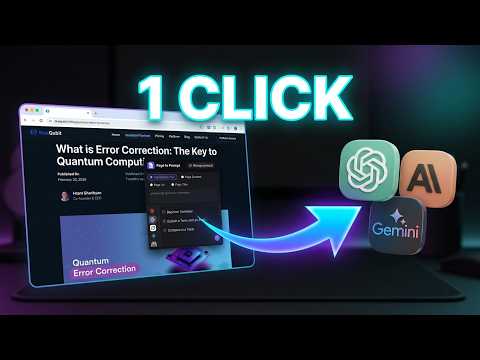
Page to Prompt turns any web page into a ready-to-send AI prompt in one click. Select text, press a shortcut, pick a saved prompt, and your AI chat opens with everything filled in. Or skip the picking entirely: assign a shortcut to your favorite prompts and run them the moment you highlight text. No copy-pasting, no switching tabs back and forth. WHAT IT DOES Create and manage your own library of prompts Insert the {{SELECTED_TEXT}} placeholder anywhere in a prompt to include what you highlighted Assign a personal keyboard shortcut to any prompt and run it instantly on your highlighted text Send content to the AI chat of your choice straight from the page you’re reading HOW IT WORKS Open the extension with a right-click and choose “Page to Prompt”, or press Cmd + Shift + P (Ctrl + Shift + P on Windows/Linux). You can change the shortcut anytime at chrome://extensions/shortcuts. Choose what to send: highlighted text, page content, page URL, or page title. Choose which AI chat service to use from the list inside the extension. Choose a prompt: – Click a prompt to open the AI immediately, or – Click the edit button next to a prompt to load it into the input box and tweak it first, or – Type a brand-new prompt in the input box. You can combine any prompt with {{SELECTED_TEXT}}. PROMPT SHORTCUTS (NEW) Set a shortcut for each of your prompts in the extension’s options page. Then, on any web page, just highlight some text and press that prompt’s shortcut: your AI chat opens with the prompt and your highlighted text already filled in. Perfect for the prompts you use every day, like “Summarize”, “Translate to English” or “Explain this code”. One keystroke, no menus. CONTINUE YOUR CONVERSATIONS Page to Prompt remembers the AI tab it is connected to. When you pick another prompt, it continues the same conversation instead of opening a new chat every time. You can use several AI chats at the same time, and each tab is remembered separately. USE YOUR OWN ACCOUNTS Page to Prompt does not provide AI models. It works with the web versions of popular AI chat services using your own logged-in accounts. The extension is simply a bridge between the page you are viewing and the AI you choose. PERFECT FOR Summarizing articles and long pages Translating or rewriting selected text Explaining code, terms or research papers Running your favorite prompts with a single keystroke Reusing your best prompts across any website PRICING Page to Prompt includes a free daily allowance of prompt uses. Unlimited use is available with a subscription of $5.99/month, billed securely through Lemon Squeezy. Page to Prompt is an independent product and is not affiliated with or endorsed by any AI provider. All product names are trademarks of their respective owners.
5 out of 51 rating
Details
- Version1.0.6
- UpdatedOctober 22, 2026
- Offered byHuDaTech
- Size516KiB
- LanguagesEnglish
- Developer
Email
hudatech.extensions@gmail.com - Non-traderThis developer has not identified itself as a trader. For consumers in the European Union, please note that consumer rights do not apply to contracts between you and this developer.
Privacy

This developer declares that your data is
- Not being sold to third parties, outside of the approved use cases
- Not being used or transferred for purposes that are unrelated to the item's core functionality
- Not being used or transferred to determine creditworthiness or for lending purposes