


개요
Easy way to change youtube video playback speed
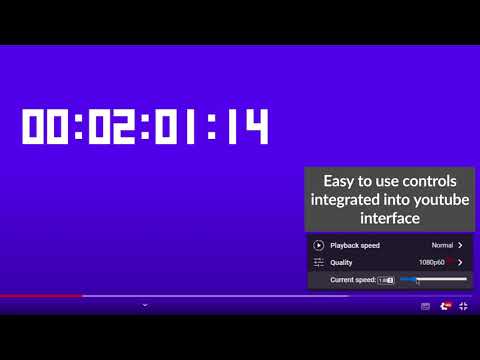
Chrome extension that enables changing YouTube video playback speed from 0 to 10 with a custom step. The controls are integrated with the YouTube player in the form of: - a draggable bar below the quality option in the player settings, - numeric input - by detecting pressed keys provided by the user (by default '-' or 'a' to subtract and '+' or 'd' to add). New dynamic playback speed control in version 1.6.0! The feature of dynamic video playback speed enables the playback speed to begin at a specified rate and then gradually increase until it reaches the desired rate at the specified duration percentage. It has to be enabled in a settings! Source code: https://github.com/MarekNowak250/Change-youtube-playback-speed-chrome-extension Have any improvement suggestion? You can create an issue here: https://github.com/MarekNowak250/Change-youtube-playback-speed-chrome-extension/issues
5점 만점에 4.3점평점 7개
세부정보
- 버전1.6.1
- 업데이트됨2024년 7월 29일
- 제공PH03NIX Software
- 크기179KiB
- 언어English
- 개발자
이메일
AndrzejKrzakuKrzakowski@gmail.com - 비판매자판매자로 식별되지 않은 개발자입니다. 유럽 연합에 거주하는 소비자의 경우, 이 개발자와 체결한 계약에 대해서는 소비자 권리가 적용되지 않을 수 있음을 유의해야 합니다.
개인정보 보호

개발자가 사용자 데이터에 관해 다음과 같이 선언했습니다
- 승인된 사용 사례를 제외하고 서드 파티에 판매하지 않음
- 항목의 핵심 기능과 관련 없는 목적으로 사용하거나 전송하지 않음
- 신용도 판단 또는 대출 목적으로 사용하거나 전송하지 않음
지원
질문, 제안 또는 문제와 관련하여 도움이 필요하면 데스크톱 브라우저에서 이 페이지를 여세요.