Item logo image for Custom Style Script

Custom Style Script

Featured
4.2(

41 ratings

)
Item media 2 (screenshot) for Custom Style Script
Item media 3 (screenshot) for Custom Style Script
Item video thumbnail
Item media 2 (screenshot) for Custom Style Script
Item media 3 (screenshot) for Custom Style Script
Item video thumbnail
Item media 2 (screenshot) for Custom Style Script
Item video thumbnail
Item media 2 (screenshot) for Custom Style Script
Item media 3 (screenshot) for Custom Style Script

Overview

Add Custom JavaScript (JS) Code or Styles (CSS) to any page.

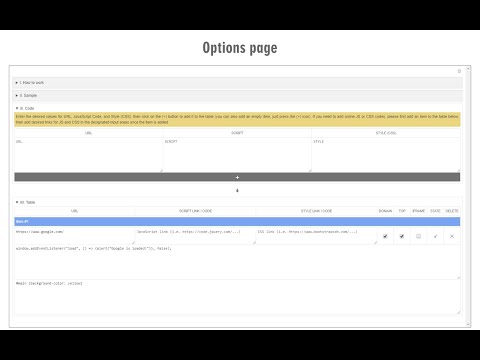
Custom Style Script customizes the way a webpage looks or behaves, by adding a small JavaScript or CSS code. You can also specify a URL to add the code or add it to all pages. Key features: 1. Add custom JavaScript codes or styles (CSS) to a specific page or all pages. 2. Clicking on the toolbar icon allows you to disable or enable the addon. 3. Each code item has several options to adjust (see options page for details). 4. You can add several code items and active or inactive them separately. 5. An example of how to add a code is available in the add-on's options page. 6. Before adding the code (JS or CSS) please make sure you have validated the code. 7. Online JS or CSS links (i.e. jQuery or bootstrap) can also be added to any page. See add-on's options page for details. Note: to report bugs, or request a feature, please visit the add-on's homepage (https://mybrowseraddon.com/custom-style-script.html) and fill the bug report form.

Details

  • Version
    0.1.7
  • Updated
    April 8, 2025
  • Offered by
    Grephy
  • Size
    50.35KiB
  • Languages
    English
  • Developer
    Email
    grephyr.prj@gmail.com
  • Non-trader
    This developer has not identified itself as a trader. For consumers in the European Union, please note that consumer rights do not apply to contracts between you and this developer.

Privacy

The developer has disclosed that it will not collect or use your data.

This developer declares that your data is

  • Not being sold to third parties, outside of the approved use cases
  • Not being used or transferred for purposes that are unrelated to the item's core functionality
  • Not being used or transferred to determine creditworthiness or for lending purposes

Support

For help with questions, suggestions, or problems, visit the developer's support site

Related

Live editor for CSS, Less & Sass - Magic CSS

4.6

Live preview of CSS/Less/Sass code changes. Auto-save file, autocomplete, Less/Sass to CSS, beautify, CSS reloader, lint, ...

Restyler

4.8

A devtool extension for easy restyling of any webpage

Inject Code

4.6

Inject your own Javascript, React/JSX, CSS / LESS / SCSS/ SASS into any webpage

Stylebot

4.3

Change the appearance of the web instantly

User JavaScript and CSS

4.8

User JavaScript and CSS on any website

Witchcraft: JS/CSS injector

4.6

Witchcraft loads custom Javascript and CSS directly from a folder in your file system. Think GreaseMonkey for developers.

exec JavaScript

3.3

Inject your own JS code on any website

Script Injector

4.0

Allow to inject script at page start.

Scripty - Javascript Injector

3.8

Inject your Javascript into the webpage

Custom CSS by Denis

4.6

Minimal and secure way to add custom CSS per-domain

RWeb

4.1

Simple tool for customizing websites by adding your own CSS & JS.

Super CSS Inject

4.3

Keep multiple stylesheets ready to inject and change on the fly!

Live editor for CSS, Less & Sass - Magic CSS

4.6

Live preview of CSS/Less/Sass code changes. Auto-save file, autocomplete, Less/Sass to CSS, beautify, CSS reloader, lint, ...

Restyler

4.8

A devtool extension for easy restyling of any webpage

Inject Code

4.6

Inject your own Javascript, React/JSX, CSS / LESS / SCSS/ SASS into any webpage

Stylebot

4.3

Change the appearance of the web instantly

User JavaScript and CSS

4.8

User JavaScript and CSS on any website

Witchcraft: JS/CSS injector

4.6

Witchcraft loads custom Javascript and CSS directly from a folder in your file system. Think GreaseMonkey for developers.

exec JavaScript

3.3

Inject your own JS code on any website

Script Injector

4.0

Allow to inject script at page start.

Google apps