

CSV to Google Sheets – Open CSV Instantly

Overview
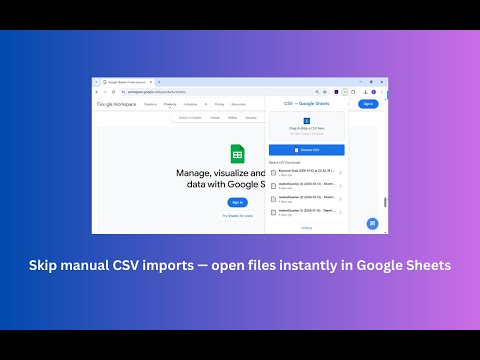
Open CSV files in Google Sheets in 1–2 clicks. Skip manual upload and import steps and start working instantly.
Manually importing a CSV file into Google Sheets usually takes around one minute — upload the file, open the import dialog, confirm settings, and wait. If you do this 10 times a day, that’s roughly 50 minutes a week spent on repetitive setup. Over a month, it adds up. CSV to Google Sheets removes that friction! Open CSV files directly in Google Sheets without manual upload or import steps — just select a CSV and start working. Choose a CSV file and instantly create a new Google Sheet in your Google Drive — simple, fast, and frictionless. A fast and reliable way to go from CSV to Sheets when you just want your data available in Google Sheets right away. This extension is designed for anyone who regularly works with CSV files and wants to open them in Google Sheets as quickly as possible. How It Works 1️⃣ Install the extension from the Chrome Web Store 2️⃣ Click the extension icon and pin it for easy access 3️⃣ Choose how you want to open your CSV: - Select a file from your computer - Drag & drop a CSV file - Pick a file from recent CSV downloads 4️⃣ Sign in with Google the first time you use the extension 5️⃣ A new Google Sheet is created and opened automatically After the first sign-in, future imports work seamlessly — just select a CSV file and it opens instantly. Quick Start 1️⃣ Click the extension icon in your browser 2️⃣ Choose a CSV file from your computer or recent downloads 3️⃣ A new Google Sheet opens automatically with your data No setup. No import wizard. No extra steps. Key Features 📄 Open CSV files in Google Sheets in 1–2 clicks ⚡ Skip manual CSV upload and import steps 📂 Works with local files, drag & drop, and recent downloads 📊 Creates a real Google Sheet in your Google Drive 🔄 Disconnect Google access anytime from Settings 🔐 Runs locally in your browser with no tracking or data collection Why Use CSV to Google Sheets? If you frequently receive CSV reports and need to work with them in Google Sheets, this extension saves you time every single day. Perfect for: - Analysts and data teams - Product managers - Operations and sales teams - Anyone tired of repeating the CSV import flow Turn CSV files into Google Sheets instantly and focus on your work instead of setup. Permissions & Privacy This extension uses Google access only to create the Google Sheet you request. It does not browse your Drive, edit existing files, or delete anything — you stay in control of your files. All CSV processing happens locally in your browser. Coming Soon We’re actively improving the extension with small, focused enhancements, including: - More import options (delimiter detection, header row toggle) - Improved handling of large CSV files - Optional context-menu action for opening CSV links inside Chrome - No accounts. No backend. No added complexity. FAQ ❓How do I open a CSV file in Google Sheets? Install the extension, click it, choose a CSV file, and a new Google Sheet will be created automatically. ❓Do I need to upload the CSV manually in Google Sheets? No. The extension skips the manual upload and import process entirely. ❓Does this convert a CSV to a Google Sheet? Yes. Each CSV file is converted into a new Google Sheet in your Google Drive. ❓Where is the Google Sheet created? The sheet is created in your own Google Drive and opens immediately after import. ❓Can I disconnect Google access? Yes. You can revoke access at any time from the extension’s Settings page.
5 out of 56 ratings
Details
- Version5.4.0
- UpdatedOctober 12, 2026
- Size179KiB
- Languages28 languages
- Developer
- Non-traderThis developer has not identified itself as a trader. For consumers in the European Union, please note that consumer rights do not apply to contracts between you and this developer.
Privacy

This developer declares that your data is
- Not being sold to third parties, outside of the approved use cases
- Not being used or transferred for purposes that are unrelated to the item's core functionality
- Not being used or transferred to determine creditworthiness or for lending purposes
Support
For help with questions, suggestions, or problems, visit the developer's support site