


Overview
CS2 stats on every Steam profile: Leetify, Premier, Faceit and in-game rank.
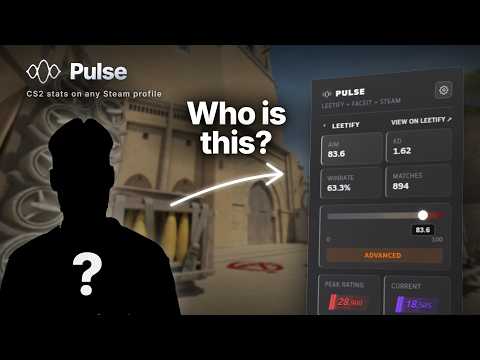
Open any Steam profile and Pulse adds a panel to it: Leetify aim rating, K/D and winrate, current and peak Premier rating, FACEIT ELO with the last results, in-game CS2 rank and XP, and the inventory value right next to the nickname. No account. No login. No setup. Install it once and it just shows up. It works inside the Steam client too, so you can read a suspicious teammate mid-match with Shift+Tab. INSTALL INSIDE THE STEAM CLIENT 1. Open any Steam profile in the Steam client. 2. Right-click any link on the page and pick "Open Link in New Tab". 3. Type cspulse.pl/get into the new tab's address bar. 4. Click "Add to Chrome", then confirm with "Add extension". 5. Close the store window and refresh the profile. That's it. Full guide with screenshots: cspulse.pl/blog/how-to-install-pulse IN A NORMAL BROWSER Just install from this page. Nothing to configure afterwards. ADS Pulse shows small partner ads, each marked "Ad". You can turn them off in the extension's options. PRIVACY No telemetry, no analytics, no error reporting. Your settings never leave your browser. Every line of code is published for review at cspulse.pl/source
5 out of 598 ratings
Details
- Version4.3.11
- UpdatedNovember 16, 2026
- Size461KiB
- Languages9 languages
- DeveloperWebsite
Email
hake.gmpl@o2.pl - Non-traderThis developer has not identified itself as a trader. For consumers in the European Union, please note that consumer rights do not apply to contracts between you and this developer.
Privacy

Pulse: CS2 Stats for Steam Profiles has disclosed the following information regarding the collection and usage of your data. More detailed information can be found in the developer's privacy policy.
Pulse: CS2 Stats for Steam Profiles handles the following:
This developer declares that your data is
- Not being sold to third parties, outside of the approved use cases
- Not being used or transferred for purposes that are unrelated to the item's core functionality
- Not being used or transferred to determine creditworthiness or for lending purposes
Support
For help with questions, suggestions, or problems, visit the developer's support site