


Overview
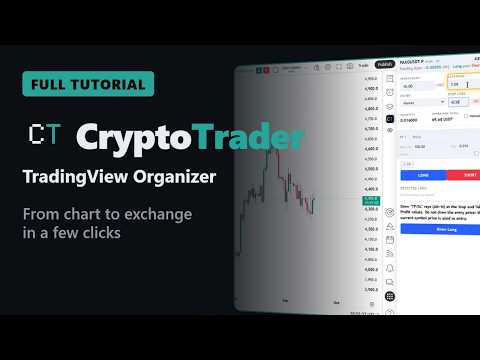
TradingView sidebar to trade on crypto exchanges: orders, SL/TP on the chart, positions and alerts.
CryptoTrader - TradingView Organizer brings to the TradingView chart the information crypto traders usually look up on several websites: funding, asset risks, delistings, token unlocks, supports, resistances, moving averages and the positions of all your accounts. You analyze, decide and follow up without leaving the chart — and trade from it if you want, or straight on your exchange, as you prefer. The extension lives in a sidebar inside TradingView Web and works with the chart you are already looking at. TO ANALYZE THE ASSET Funding rate on the chart: the pair's funding rate shows in TradingView's top toolbar, next to the chart, without opening the exchange. Higher-risk assets (ST): see which pairs the exchanges have placed under special treatment. When the pair on your chart is on the list, the warning shows at the top. Delistings: know whether the asset is going to be removed from an exchange, and when, from the exchanges' official notices. Token unlocks: know whether and when there will be a token unlock for the asset you are analyzing, with amount and percentage (source: CoinGecko). When there is an unlock from yesterday through the next 7 days, the UNLOCK badge shows at the top. New listings: follow the pairs newly listed on the exchanges. Supports and resistances in one click: draw on the chart the support and resistance levels of the current timeframe and of the timeframes preset in the settings. Moving averages from other timeframes in one click: mark on the chart the averages of up to 4 configured timeframes, with value and distance to the price — see the daily average while you analyze the 15-minute chart. TO FOLLOW YOUR POSITIONS All positions in one place: balances, open positions, stop loss and take profits from every connected account, with each position's up-to-date result and the totals. In the Attention tab: a list of positions with no stop or whose targets do not cover the full size, and of position-opening orders not yet filled. Exchange trade, drawn on the chart: opened the position directly on your exchange? In one click the extension draws the entry price, the stop loss and each take profit on the chart, at the exchange's real prices. TO ORGANIZE AND SHARE Organized chart: studies, trade lines and your own drawings listed in groups. Hide, show or delete an item, a group or everything at once; the eye in TradingView's toolbar hides it all and shows it all again with a single click. Sharing: publish your studies and chart elements and get a 6-character code. Anyone with the code draws the same analysis on their chart in one click. TO TRADE Open and close from TradingView: mark the stop and targets on the chart; the extension sizes the trade from your investment and sets the leverage from the stop size defined in the settings, shows a summary with risk/reward and sends the orders to your exchange when you confirm. An open position can be closed, fully or partially, in one click, and the protections are rescaled to what is left. Price alerts on the stop or targets are created in your TradingView account, if you want. The interface follows TradingView's language: English, Portuguese or Spanish. Connects to several cryptocurrency exchanges; the list of supported ones is in the manual: https://cryptotrader.trade/manual/ GETTING STARTED You need to be logged in to TradingView and to create a CryptoTrader account. • Open a crypto chart on TradingView Web. • Click the CT icon in TradingView's toolbar to open the sidebar. • In the Account tab, enter a nickname and your email; the link sent to your email sets your password. Then sign in with it. • To see your positions (and trade, if you want), add your exchange account in the Exchanges tab with an API key — we recommend keys without withdrawal permission. FREE EVALUATION PERIOD AND SUBSCRIPTION Every new account starts with a free evaluation period with full access. After it, sending orders to exchanges is restricted to subscribers — monthly, semiannual or annual plans, purchased on our website, with no automatic renewal. Without a subscription you keep access to all tabs and information, but they may take a few seconds to appear when you switch tab, asset or timeframe; subscribers see everything instantly and can send orders. Plans, pricing and conditions: https://cryptotrader.trade/precos/index-en.html REFERRAL PROGRAM Every account gets a referral code. Under the standard terms, whoever signs up with your code gets 10% off their first subscription and 15 extra days of free evaluation period; you earn a 10% commission on the subscriptions paid by the people you referred, renewals included. The commission becomes available 7 days after the payment (refund window) and is tracked and withdrawn in the Partner area on our website, protected by your account password. Taking part is optional; the extension does not insert referral codes into third-party websites. Terms: https://cryptotrader.trade/termos/index-en.html PRIVACY Your API keys never leave your computer: they are encrypted with AES-GCM 256 and stored only in this browser, under a master key that cannot be extracted. Orders go over HTTPS straight from your browser to the exchange. Our server receives your account data (nickname, email, TradingView username and language and, on the password creation page, name and phone number), a daily usage record and the analyses and messages you choose to send. What is collected and how to request deletion: https://cryptotrader.trade/privacidade/index-en.html DISCLAIMER CryptoTrader is an analysis, organization and execution tool. It gives no investment advice, does not trade on its own and does not predict prices: every order starts from a command of yours. Trading cryptocurrencies involves risk of loss. CryptoTrader is not affiliated with, sponsored or endorsed by TradingView or by the exchanges mentioned; all names are trademarks of their respective owners.
0 out of 5No ratings
Details
- Version1.1.18
- UpdatedOctober 10, 2026
- FeaturesOffers in-app purchases
- Size746KiB
- Languages4 languages
- DeveloperWebsite
Email
cryptotrader.trade@gmail.com - Non-traderThis developer has not identified itself as a trader. For consumers in the European Union, please note that consumer rights do not apply to contracts between you and this developer.
Privacy

CryptoTrader - TradingView Organizer has disclosed the following information regarding the collection and usage of your data. More detailed information can be found in the developer's privacy policy.
CryptoTrader - TradingView Organizer handles the following:
This developer declares that your data is
- Not being sold to third parties, outside of the approved use cases
- Not being used or transferred for purposes that are unrelated to the item's core functionality
- Not being used or transferred to determine creditworthiness or for lending purposes
Support
For help with questions, suggestions, or problems, visit the developer's support site