

CRM Call Guard

Overview
Shows each contact's local time in your CRM and asks before you call or text outside state calling rules or your hours.
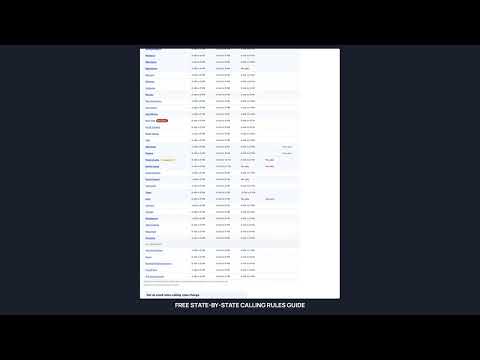
TCPA Laws and Protections Call the right people at the right time. CRM Call Guard shows each contact's local time next to your call button and asks before you call or text someone outside the hours their state allows, or outside your own calling hours. You stay in control: every prompt has "Cancel" and "Call anyway". WHAT IT CHECKS - Federal calling hours (8 AM to 9 PM in the contact's time zone) - Stricter state hours, such as Kentucky's 10 AM start or Florida's 8 PM cutoff - States that ban telemarketing calls on Sundays or state holidays - The 3-calls-per-24-hours limits in Florida, Maryland, Oklahoma and Oregon, counting calls and (optionally) texts - Your own hours: choose the earliest and latest you call, and Call Guard applies whichever is stricter, yours or the state's HOW IT FINDS LOCAL TIME Call Guard uses the contact's time zone field first, then their ZIP code, then their state (choosing the most cautious time zone for states that span two), and the area code only as a last resort. Every prompt says which one it used. WORKS WITH YOUR CRM - Works right away in GoHighLevel, including white-label versions. - Several other popular CRMs are recognized automatically. - Any other web-based CRM takes a one-minute setup: click your call button, text button and the contact's fields once, and Call Guard watches them from then on. - Dialer buttons elsewhere on the page can be added too. - If your CRM isn't recognized yet, tell us through the feedback page and we'll add it. DECLARED EMERGENCIES Some states, such as New York, restrict telemarketing during a declared emergency. Call Guard checks for these daily and warns before calls and texts to the affected areas. PRIVATE BY DESIGN Everything happens in your browser. Contact details are read on the page to work out local time and are never sent anywhere: not to us, not to anyone. The only thing Call Guard sends is your license key (with a random install ID and a browser and operating system label, such as "Chrome on Windows") to crmcallguard.com, to confirm your subscription. PRICING $24 a month covers 2 users, and each extra user is $10 a month. Yearly plans cost 10 months' price. Sales tax is added where your state charges it. Every plan starts with a 7-day free trial. Subscribe at crmcallguard.com to get your license key. YOUR RESPONSIBILITIES Call Guard checks calling hours, Sunday and holiday rules, and daily call limits based on the information in your CRM. You remain responsible for: - Only calling or texting people who have given you permission to contact them - Checking the National Do Not Call Registry, state registries and your own do-not-contact list (Call Guard does not do this) - Keeping each contact's time zone, state and ZIP code accurate (Call Guard trusts the time zone field first) - Following all other federal, state and local telemarketing laws Laws change, and Call Guard may not reflect every rule or exception. It is an aid, not legal advice, and does not guarantee compliance. CRM Call Guard is an independent product and is not affiliated with or endorsed by HighLevel.
0 out of 5No ratings
Details
- Version0.5.1
- UpdatedOctober 15, 2026
- FeaturesOffers in-app purchases
- Offered byproclaimer
- Size85.97KiB
- LanguagesEnglish (United States)
- Developer
Email
proclaimer@gmail.com - Non-traderThis developer has not identified itself as a trader. For consumers in the European Union, please note that consumer rights do not apply to contracts between you and this developer.
Privacy

CRM Call Guard has disclosed the following information regarding the collection and usage of your data. More detailed information can be found in the developer's privacy policy.
CRM Call Guard handles the following:
This developer declares that your data is
- Not being sold to third parties, outside of the approved use cases
- Not being used or transferred for purposes that are unrelated to the item's core functionality
- Not being used or transferred to determine creditworthiness or for lending purposes