

CourseChat - AI Study Tutor for Your Course Materials
2 ratings
)
Overview
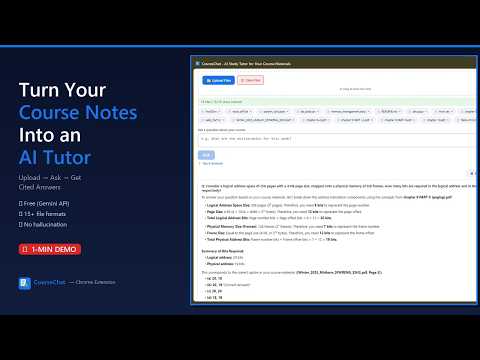
Upload your course materials, ask questions, get cited answers. AI study tutor powered by your own Gemini API key.
CourseChat turns your course materials into an AI-powered study tutor — right in your browser. HOW IT WORKS: 1. Get a Gemini API key from Google AI Studio 2. Upload your course files (lectures, assignments, exams, slides, textbooks) 3. Ask questions in plain English 4. Get accurate, cited answers pointing to exact pages and sections FEATURES: • Answers cite the exact source document, page number, and section • Upload entire courses — no file size limits or character caps • Drag & drop files — upload one or many files by dropping them into the panel • Supports 15+ file formats including slides, documents, notebooks, and source code • Math renders cleanly with Unicode (no raw LaTeX clutter) • Dark mode and light mode • Export your Q&A sessions as Markdown • Copy or listen to answers with one click • File preview — click any uploaded file to see extracted text • Works with any course, any subject, any school YOUR OWN API KEY: CourseChat uses your own Google Gemini API key. There are no subscriptions, no premium tiers, and no hidden fees. You bring your key, we bring the RAG pipeline. HOW IT'S DIFFERENT: Unlike ChatGPT or other AI tools, CourseChat ONLY answers from your uploaded materials. It won't hallucinate or make things up. If the answer isn't in your course content, it tells you so. PRIVACY: • Your files are processed for text extraction and answer generation only • No personal data collected, no tracking, no ads • Your API key stays in your browser's local storage • Course materials are isolated — no cross-user access GETTING STARTED: 1. Click the CourseChat icon in your toolbar to open the side panel 2. Click the gear icon to paste your Gemini API key (get one at aistudio.google.com/apikey) 3. Upload your course files (click the Upload button or drag & drop files into the panel) 4. Start asking questions! BUILT BY: • Tridib Banik — Architecture & Integration • Taksh Patel — AI & Backend Logic • Bhagya Vithanage — Frontend & Side Panel UI • Hunza Shahzadi — Data Pipeline & Storage Open source: https://github.com/tridibbanik17/CUTC-Transform-Hackathon-2026.git Built by students, for students.
5 out of 52 ratings
Details
- Version0.1.14
- UpdatedAugust 22, 2026
- Offered byTridib Banik
- Size2.38MiB
- LanguagesEnglish
- Developer
Email
tridib.perfect@gmail.com - Non-traderThis developer has not identified itself as a trader. For consumers in the European Union, please note that consumer rights do not apply to contracts between you and this developer.
Privacy

CourseChat - AI Study Tutor for Your Course Materials has disclosed the following information regarding the collection and usage of your data. More detailed information can be found in the developer's privacy policy.
CourseChat - AI Study Tutor for Your Course Materials handles the following:
This developer declares that your data is
- Not being sold to third parties, outside of the approved use cases
- Not being used or transferred for purposes that are unrelated to the item's core functionality
- Not being used or transferred to determine creditworthiness or for lending purposes
Support
For help with questions, suggestions, or problems, please open this page on your desktop browser