


概述
Effeciently count characters, words, lines, and spaces within a selected text
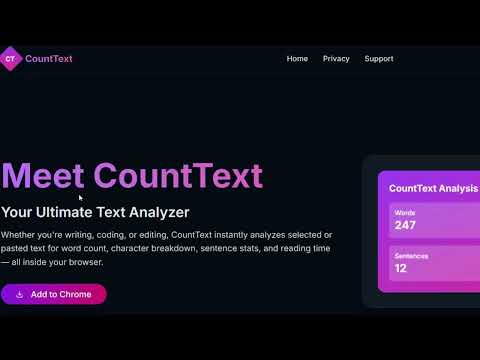
📝 CountText – Instantly Analyze Your Text with Rich Stats CountText is a smart, minimalist Chrome Extension that lets you instantly analyze any selected or pasted text for words, characters, sentences, lines, spaces, and now even estimated reading time and character counts with/without spaces — all from a simple popup or right-click context menu. Whether you're a writer, student, developer, or editor — this tool is your quick companion for accurate and meaningful text statistics. 🚀 Key Features ✅ All-in-One Text Analysis: 🔤 Words 🔡 Characters (with spaces) ✂️ Characters (without spaces) 🧾 Sentences ⏎ Lines ␣ Spaces 📖 Estimated Reading Time (based on 200 WPM) 🖱️ Right-Click Context Menu: Highlight text on any webpage or PDF Right-click → “Analyze Text” CountText auto-opens with stats already filled 📋 Manual Mode via Popup: Click the extension icon Paste or type a paragraph Press Submit to see instant stats 🌒 Incognito Support (optional - enable in Chrome settings) 📄 PDF & Web Support: Works on browser-rendered PDFs and normal websites Text must be selectable 📶 Offline-First & Secure: No network requests All analysis is done locally Your text stays in your browser 🧠 Simple, Responsive Design: Built with React + Tailwind CSS Sleek, fast, and easy to use 🔍 New in This Version ✅ Character Count with/without Spaces Great for meeting platform or content limits Perfect for Twitter/X, Instagram bios, product descriptions, etc. 📖 Estimated Reading Time Calculated from word count using standard 200 WPM reading speed ⚙️ Permissions Used contextMenus: For right-click text selection scripting and activeTab: To read selected text on the page storage: To pass selected content from background to popup 🧪 Perfect For: ✍️ Writers checking word and character limits 📚 Students preparing essays or abstracts 👨💻 Developers analyzing code snippets 📱 Social media creators watching character caps 📝 Editors reviewing structure and flow 🧠 Anyone who works with words daily
5 星(5 星制)1 个评分
详情
- 版本1.0.1
- 上次更新日期2025年7月27日
- 提供方Saurabh Kumar
- 大小83.52KiB
- 语言English
- 开发者Saurabh Kumar
151 Tridev Nagar Mangla Vihar 2 Kanpur, Uttar Pradesh 208021 IN邮箱
saurabhkumar23232@gmail.com电话
+91 93059 06804 - 交易者此开发者已根据欧盟的定义将自己标识为交易者,并承诺仅提供符合欧盟法律要求的产品或服务。
隐私权
该开发者已声明,您的数据:
- 不会因未获批准的用途出售给第三方
- 不会为实现与产品核心功能无关的目的而使用或转移
- 不会为确定信用度或放贷目的而使用或转移
支持
若有任何疑问、建议或问题,请在桌面浏览器中打开此页面