

CoTabor
1 rating
)
Overview
AI browser co-worker with three-layer memory, LangGraph agent, and MCP tool ecosystem.
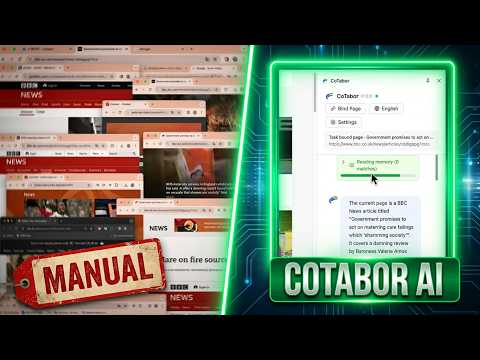
CoTabor is an AI agent that lives in your Chrome Side Panel. Give it a goal — it plans, browses, clicks, extracts, and learns, all without leaving your browser. ── WHAT IT DOES ── CoTabor runs a full agent loop inside Chrome. You describe what you want, and the agent figures out the steps, executes them on real web pages, checks the result, and retries if something goes wrong. It remembers what it learned so it gets better at your workflows over time. ── KEY FEATURES ── ▸ Side Panel Workspace Chat with the agent, watch it work step by step, replay past runs, and approve or redirect actions — all from the Chrome Side Panel without switching windows. ▸ Three Launch Modes • Single: focused execution on the current page • Auto: the agent classifies your goal and decides the best approach • Swarm: multi-agent DAG runs for complex, cross-page research or automation tasks ▸ Multi-Agent Swarm Orchestration For larger tasks, CoTabor can spawn multiple sub-agents that run in isolated sandbox tabs in parallel. A dedicated Swarm Cockpit gives you a full-page view of all agents, their progress, and intervention points. ▸ Local-First Memory The agent builds a three-level memory as it works: • L1 — page-specific UI rules and interaction hints • L2 — tool usage knowledge and call patterns • L3 — task-level strategies and workflow playbooks Memory is stored locally in your browser and can be synced to your own Notion workspace. ▸ Human-in-the-Loop You stay in control. The agent can pause and ask for your confirmation before risky steps, and you can interrupt, redirect, or replay any run at any time. ▸ MCP Tool Extensibility Connect remote MCP (Model Context Protocol) servers to give the agent access to your own tools, APIs, and data sources — beyond what's built in. ▸ Bring Your Own LLM CoTabor works with any OpenAI-compatible API endpoint. Use OpenAI, Anthropic, local models via Ollama, or any provider that supports the standard API format. ── HOW IT WORKS ── Each task runs through a structured loop: Retrieve memory → Plan steps → (Human approval) → Execute → Verify result → Recover or replan if needed Browser actions are performed through Chrome's DevTools Protocol (CDP), giving the agent reliable, low-level control over navigation, input, and page state — the same technology used by professional browser testing tools. ── PRIVACY & DATA ── • All memory and task history is stored locally in your browser's IndexedDB. • Your LLM API key is stored locally in Chrome's extension storage and is never sent anywhere except directly to the API endpoint you configure. • Notion sync is optional and uses your own Notion OAuth credentials — CoTabor never has access to your Notion account independently. • CoTabor does not collect, transmit, or sell any user data. ── PERMISSIONS EXPLAINED ── CoTabor requests the following permissions to function: • debugger — Required to control browser tabs via Chrome DevTools Protocol (CDP). This is how the agent navigates pages, fills forms, and extracts content. Without this, browser automation is not possible. • tabs & tabGroups — Required to open, manage, and group the sandbox tabs used by Swarm sub-agents. • scripting — Required to inject the page interaction script that reads DOM content and performs actions on web pages. • storage — Required to save your settings, LLM configuration, and local memory to Chrome's extension storage. • sidePanel — Required to display the agent workspace in Chrome's Side Panel. • identity — Required for Notion OAuth authentication when you choose to sync memory to Notion. • management — Required to detect other installed extensions that may conflict with browser automation on certain pages. • Access to all URLs (<all_urls>) — The agent needs to operate on any webpage you direct it to. CoTabor only accesses pages when you explicitly start a task. ── GETTING STARTED ── 1. Install the extension and click the CoTabor icon to open the Side Panel. 2. Go to Options and configure your LLM (API key, base URL, and model name). 3. Optionally connect Notion for memory sync. 4. Type a goal and press Enter. ── OPEN SOURCE ── CoTabor is open source under the MIT License. Source code: https://github.com/AngusTarsWong/CoTabor
5 out of 51 rating
Details
- Version1.0.0
- UpdatedJuly 7, 2026
- Offered byAndrew.w.xun
- Size2.7MiB
- Languages6 languages
- Developer
Email
tradesthing@gmail.com - Non-traderThis developer has not identified itself as a trader. For consumers in the European Union, please note that consumer rights do not apply to contracts between you and this developer.
Privacy

This developer declares that your data is
- Not being sold to third parties, outside of the approved use cases
- Not being used or transferred for purposes that are unrelated to the item's core functionality
- Not being used or transferred to determine creditworthiness or for lending purposes