

Corridor · Art New Tab
3 ratings
)
Overview
Every new tab is a gallery wall. 106 public-domain masterpieces, 93 on show by default, curated notes, five layouts, fully offline.
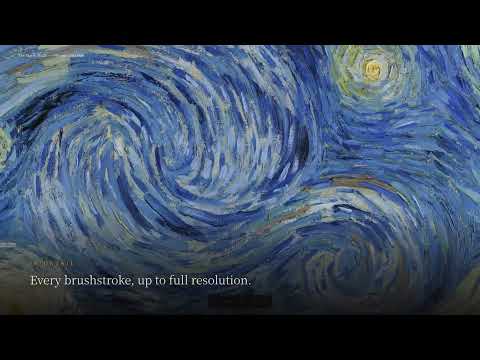
Open a new tab. See a work of art. One artwork, one memory. One wall color, one mood. One beam of light, one atmosphere. Corridor turns Chrome's new tab page into a quiet museum wall. It comes with 106 public-domain masterpieces, from A Thousand Li of Rivers and Mountains to The Starry Night, each with an original curated note. Discover great works, learn a little about art, or hang your own photos and videos on the wall and bring familiar moments back into view. ■ Five viewing modes * Gallery Wall — art hung as if in a real museum * Immersive — one work, full screen, with optional slow pan * Masonry — a whole wall of works to browse at a glance * Circular Gallery — walk along a curved exhibition space * Filmstrip — frame by frame, with film-edge markings and frame numbers ■ A gallery you can truly shape * 11 frame styles, modeled on real mouldings and lit with offline rendering, not flat textures * 5 mount styles, with Auto picking one to suit the frame * 15 wall colors plus a custom swatch, with saturation and warmth to fine-tune * 31 wall finishes: paint, fabric, digital, stone and metal panels * Adjustable spotlights (number, brightness, direction, warmth); shadows and highlights follow the angle * Each painting's colors are read so the label and buttons pick up its accent ■ Curate your own exhibition * Add local folders or online galleries and hang your travel albums, family memories, your parents' old photos, your child's drawings… * Besides photos, it plays your own videos too, with sound, and opens most common image formats * Every source has its own on/off switch and its own filters Photos don't have to stay buried in folders. Some memories deserve to be hung on a wall. ■ Bilingual exhibitions and optional AI (off by default) * Use your own AI service, either an online one or a model running on your own computer * AI can fill in artwork details and translate the interface and notes into any two of 78 languages * Tap the label to flip it: your language on the front, a second one on the back, like a language flashcard beside the work ■ Today's Selection * A few new public-domain works from Wikimedia Commons each day, as many as you choose * With optional AI, details and bilingual notes can be completed automatically ■ Pause Gallery: press Q (or double-click) * Put the gallery away for a while; the tab shows your own sites instead: ones you pin, Chrome's most visited, and open tabs * Three layouts: label wall, closed-gallery notice, directory index ■ Offline and private * No project server, no account, no analytics * API keys are sent only to the endpoint you provide * Settings, favorites and cached images stay on your device; cached works work offline * Local images and videos are never copied and are read only when shown; images are sent out only if you turn on AI enrichment for them, and only to the endpoint you entered ■ Keyboard shortcuts * Every action has a shortcut: ← → move between works, Q pauses the gallery; the keyboard button in the bottom bar lists them all ■ What's new v1.26.0 * Keeps showing offline and on poor connections: new tabs no longer wait on the network, and each work keeps one display image and one thumbnail * Online galleries can sync on a schedule (off by default); the source list can be filtered, sorted and searched * A publicly shared Feishu/Lark Base view can be added as an online gallery too * Store updates take effect sooner, without waiting for a browser restart v1.25.2 * Fixed: images from your own folders no longer stay blurred after Chrome restarts — one click on Restore brings them back * Picking the same language twice swaps them; the gallery wall starts out warmer —— Artwork images are sourced from Wikimedia Commons and are in the public domain. Curated notes are original to this project and released under the MIT License.
5 out of 53 ratings
Details
- Version1.26.0
- UpdatedNovember 2, 2026
- Offered byCharles Chern
- Size4.19MiB
- Languages2 languages
- Developer
Email
achillesmars@gmail.com - Non-traderThis developer has not identified itself as a trader. For consumers in the European Union, please note that consumer rights do not apply to contracts between you and this developer.
Privacy

Corridor · Art New Tab has disclosed the following information regarding the collection and usage of your data. More detailed information can be found in the developer's privacy policy.
Corridor · Art New Tab handles the following:
This developer declares that your data is
- Not being sold to third parties, outside of the approved use cases
- Not being used or transferred for purposes that are unrelated to the item's core functionality
- Not being used or transferred to determine creditworthiness or for lending purposes
Support
For help with questions, suggestions, or problems, visit the developer's support site