


Overview
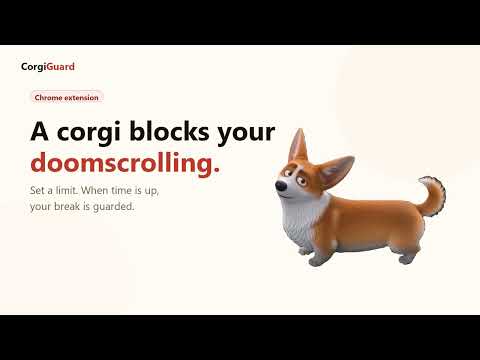
A corgi blocks your screen when you doomscroll too long. The dog-powered break enforcer.
Still scrolling? Your corgi has something to say about that. Corgi Guard is a Chrome extension that helps interrupt doomscrolling. Set a time limit for social media. When time is up, a corgi takes over the page and shows a countdown until your break ends. HOW IT WORKS 1. Set your usage limit and break duration 2. Browse normally 3. Corgi Guard counts active time on tracked sites 4. When the limit is reached, the corgi overlay blocks the page 5. When the break countdown ends, your session resets FREE FEATURES • Corgi break overlay with enter/exit animations • Custom usage limit and break duration • A default tracked-site list for common scrolling habits • Add or remove any tracked domain • Local settings, no account needed CORGI GUARD PRO (one-time purchase, US$5.99 lifetime) • Make YOUR own pet the guard: upload a photo of your dog, cat, or any pet • Automatic background removal runs 100% on your device (via a bundled on-device AI model) — your photos never leave your browser • Pay once, unlock forever. No subscription. PRIVACY FIRST • No analytics, ads, or tracking SDKs • Page content is never read, scraped, or transmitted • Settings and pet photos are stored locally with chrome.storage.local • The only network request the extension ever makes is license activation/validation for Pro (license key + a random device ID sent to our own server; nothing else) Corgi Guard is an independent dog-powered alternative for people searching for a dog version of Cat Gatekeeper. Not affiliated with Cat Gatekeeper, its creators, or ZOKUZOKU. Privacy policy: https://corgiguard.app/privacy Website: https://corgiguard.app
5 out of 51 rating
Details
- Version1.0.2
- UpdatedJuly 8, 2026
- FeaturesOffers in-app purchases
- Size11.19MiB
- LanguagesEnglish
- DeveloperWebsite
Email
support@corgiguard.app - Non-traderThis developer has not identified itself as a trader. For consumers in the European Union, please note that consumer rights do not apply to contracts between you and this developer.
Privacy

This developer declares that your data is
- Not being sold to third parties, outside of the approved use cases
- Not being used or transferred for purposes that are unrelated to the item's core functionality
- Not being used or transferred to determine creditworthiness or for lending purposes
Support
For help with questions, suggestions, or problems, please open this page on your desktop browser