

Copyfish 🐟 Free OCR Software

Visió general
Copy, paste and translate text from any image, video or PDF.
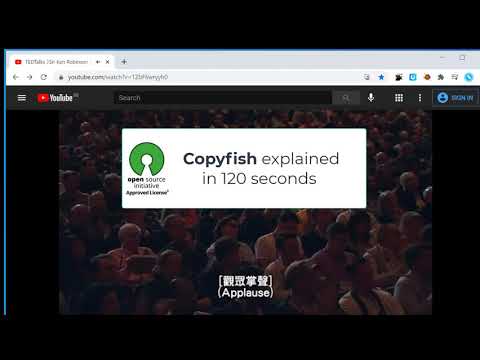
Do you need to extract text from images, videos or PDF? If yes, then the Copyfish Screenshot Reader/Text Extractor is for you. Copyfish turns text within any image captured from your screen into an editable format without retyping – making it easy to reuse in digital documents, emails or reports. Common reasons to extract text from images are to google it, store it, email it or translate it. Until now, your only option was to retype the text. Copyfish is soooo much faster and more fun. “Images” come in many forms: photographs, charts, diagrams, screenshots, PDF documents, comics, error messages, memes, Flash – and Youtube movies. You can verify the results in one glance with the extracted text overlay. Do you need to switch between OCR languages often? You can define "Quick Switch" buttons for up to three languages on the settings page. For language learners: There are many translator addons available, but they only work with plain website text. Text inside images, in tricky Javascript/AJAX or, especially, in movie subtitles on Youtube or Youku is unreachable for them. But not for Copyfish. And if you want, Copyfish also translates the text for you. Especially for the subtitle translation use case, Copyfish has a repeat feature. Mark the area of the subtitle once and then use the "Do OCR" button to grab the latest text from the movie screen. For extension gurus: You might have heard of Project Naptha, a great addon that applies state-of-the-art computer vision algorithms on every image you see while browsing the web. Copyfish solves the same problem, but it takes a different user interface approach. It does not try to alter the website. Instead, it lets you mark the text in the image you want to extract. As a result Copyfish works with every website, even videos and PDF documents. For developers: Copyfish is published under the GPL open-source license. Full source code is available at https://github.com/A9T9/Copyfish As OCR software, it uses the free OCR API from https://ocr.space/ . QUESTIONS? SUGGESTIONS? Please visit our OCR user forum at https://forum.ui.vision/c/ocr-api/10
4,0 de 5979 puntuacions
Detalls
- Versió6.2.0
- Actualitzat15 de maig del 2025
- Mida238KiB
- IdiomesEnglish
- Desenvolupador
- No comerciantAquest desenvolupador no s'ha identificat com a comerciant. Els consumidors de la Unió Europea han de saber que els drets dels consumidors no s'aplicaran als contractes que concertin amb aquest desenvolupador.
Privadesa

Aquest desenvolupador declara que les teves dades:
- No es venen a tercers, fora dels casos d'ús aprovats
- No s'utilitzen ni es transfereixen amb finalitats que no estiguin relacionades amb la funcionalitat principal de l'element.
- No s'utilitzen ni es transfereixen per determinar la situació creditícia ni per a finalitats de préstec
Assistència
Si tens cap pregunta, suggeriment o problema, visita el lloc web d'assistència del desenvolupador