

Copy Unlock
ExtensionTools170 users

Overview
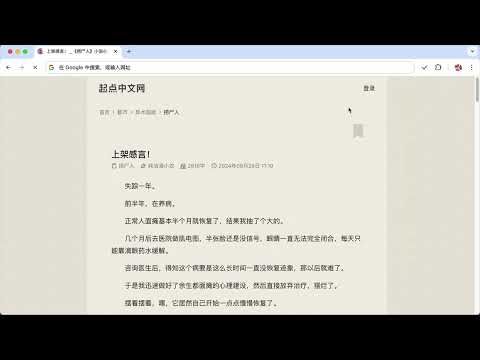
Allow selecting, copying, pasting and right clicking in most restricted pages.
🔓 Break through copy and right-click restrictions on most websites. 🖱️ Simply click the extension icon on any site where you want to enable it, and restrictions will be lifted instantly. 💾 Your settings automatically apply every time you revisit those sites. 🌐 Sync across devices. 突破大部分网站的复制和右键限制,例如CSDN、起点中文网、百度文库等。 在需要启用的网站上点击插件图标,即可解除限制。 它会记住你所有启用的域名,以后访问这些网站时会自动生效。 如果你更换了电脑,这些设置仍然会自动同步,不用担心丢失。
0 out of 5No ratings
Details
- Version2.1
- UpdatedApril 18, 2025
- Offered bykeakon
- Size11.39KiB
- Languages中文(中国)
- Developer
Email
keakon@gmail.com - Non-traderThis developer has not identified itself as a trader. For consumers in the European Union, please note that consumer rights do not apply to contracts between you and this developer.
Privacy

Manage extensions and learn how they're being used in your organization
The developer has disclosed that it will not collect or use your data.
This developer declares that your data is
- Not being sold to third parties, outside of the approved use cases
- Not being used or transferred for purposes that are unrelated to the item's core functionality
- Not being used or transferred to determine creditworthiness or for lending purposes
Support
For help with questions, suggestions, or problems, please open this page on your desktop browser