

Copy Title & URL – Copy Links as Markdown or HTML
Overview
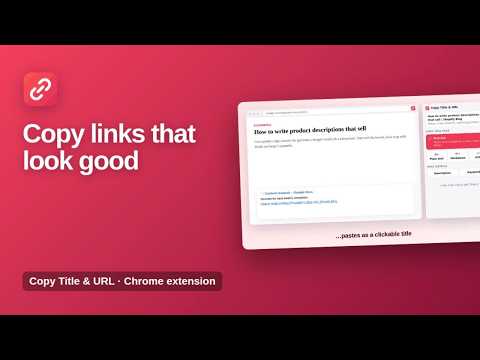
Copy the page title and URL as plain text, Markdown, HTML or a rich link that pastes as a clickable title.
Copy the title and link of any page in the format you need: a rich link, Markdown, HTML or plain text. Copy Title & URL saves you from copying the title and the address separately. One click and the link is ready to paste into Google Docs, Slack, Notion, email, a blog post or your notes. ★ Rich link Pastes as a clickable title in Google Docs, Gmail, Slack, Notion, Word and other editors that support formatted text. ★ Markdown and HTML [Title](https://…) for Markdown editors, GitHub and Obsidian, or <a href="…">Title</a> for HTML. ★ Correct every time Brackets, quotes, ampersands and other symbols in titles and links are escaped, so the result never breaks. ★ Page details Copy the page's meta description and keywords, handy for SEO checks and research. ★ Light and dark mode The popup follows your system theme. How to use 1. Open any web page. 2. Click the Copy Title & URL icon. 3. Choose Rich link, Plain text, Markdown or HTML and paste. Available in English, Spanish, Portuguese, German, French and Turkish. Private by design The extension only reads the page you are on, and only when you click it. Nothing is collected or sent anywhere. More information: https://www.extensions.kominikee.com/copy-title-url/
0 out of 5No ratings
Details
- Version1.1
- UpdatedOctober 22, 2026
- Size19.93KiB
- Languages6 languages
- DeveloperKominike DigitalWebsite
Esentepe, Büyükdere Cd. No:12 Mecidiyeköy, İstanbul 34200 TREmail
hello@kominikee.com - Non-traderThis developer has not identified itself as a trader. For consumers in the European Union, please note that consumer rights do not apply to contracts between you and this developer.
Privacy

This developer declares that your data is
- Not being sold to third parties, outside of the approved use cases
- Not being used or transferred for purposes that are unrelated to the item's core functionality
- Not being used or transferred to determine creditworthiness or for lending purposes
Support
For help with questions, suggestions, or problems, please open this page on your desktop browser