


Overview
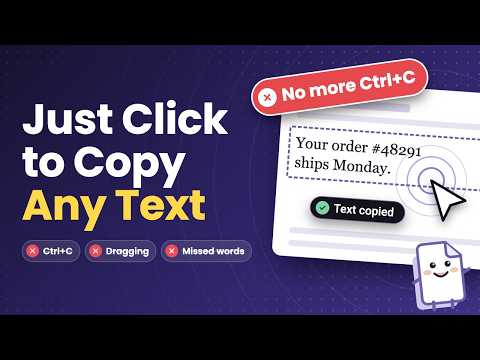
Copy any text with one click. No selecting, no Ctrl+C. Plus a clipboard history you can search and drag into any field.
Hover over text and a preview shows exactly what you'll get. Click once and it's copied. Every copy waits in a clipboard you can open on any page, ready to drop into the next field. 👉 How to use: https://devapt.com/copy-text-easily/how-to-use ✂️ COPY EXACTLY WHAT YOU NEED • Paragraphs: hover a block of text and click to copy all of it. • Sentences: point at a sentence. The preview follows your cursor, and a click copies just that one. • Custom selection: highlight any words and they copy themselves. • Without clicking: hover a link or dropdown and press Ctrl+C (Cmd+C on Mac). Its text is copied and nothing opens. • Code blocks keep their formatting. 📋 A CLIPBOARD THAT FOLLOWS YOU • Open it on any page with Ctrl+Shift+H (Cmd+Shift+H on Mac). • Drag a copy into any text box, or click to copy it again. • Search by text, filter by site or date, and star the ones you reuse. • Paste your newest copy with a middle click or modifier + click. • Keeps your newest 2,000 copies. Export and import anytime. ⌨️ ONLY WHEN YOU WANT IT • Keypress mode: it wakes up only while you hold your keys, so normal browsing stays normal. • Use Ctrl, Shift or Alt, or pick your own key, like the backtick (`). • Choose what a click does: copy, select and copy, or just select. 🚀 MORE POWER • Link copy: click and hold a link, or hold your key and click, to copy its text or URL without opening it. • Regex filter: copy only what matches your pattern, like an email or order number. • System-wide history: keep copies from any app in the same clipboard. • Site controls: run it only on the sites you choose. • Preview options: show a word count or the full text, or hide the bubble and keep just the outline. 🆓 FREE AND PRO Free: one-click copy in all three modes, Ctrl+C on the preview, Keypress mode, and the on-page clipboard with search, favorites, drag and drop, paste, import and export. Pro (one-time payment, no subscription): link copy, regex filter, system-wide history, site controls, preview options, editing and adding clipboard items, and a separate clipboard window. 🔒 PRIVATE BY DESIGN • Copied text stays on your device. It isn't uploaded. • No account needed. 🧭 GET STARTED IN 30 SECONDS 1. Pin Copy Text Easily to your toolbar. 2. Open it and choose: only while holding a key, or Always on. 3. Hover over text and click. 4. Reload any tab if preview bubble doesn't show up. 🛠️ NOT WORKING? • Check that the switch in the popup is on. • If a page doesn't respond, reload it once. • In Keypress mode, hold your key while you hover. • Some protected pages, like the Chrome Web Store itself, don't allow extensions. Works on Chrome, Edge, Brave, Vivaldi and Opera. 🎉 WHAT'S NEW 3.2.0 • Sentences mode now outlines just the sentence under your cursor. • A quick setup for new installs: choose Always on or only while holding a key. • New installs work right away on tabs already open, with no reload. • More accurate sentence picking on pages with hidden text. 3.1.0 • Ctrl+C on the preview now saves to your clipboard, for everyone. • Ctrl+C copies the right sentence in Sentences mode. • Import asks before replacing your clipboard. 3.0.1 • Copy the exact sentence under your cursor. • Fewer conflicts with websites, and a cleaner copy notification. 3.0.0 • A fresh new look across the popup, clipboard and settings. Full changelog: https://devapt.com/copy-text-easily/changelog Love it? A review helps others find it.
3.9 out of 575 ratings
Details
- Version3.2.0
- UpdatedNovember 9, 2026
- FeaturesOffers in-app purchases
- Size335KiB
- LanguagesEnglish (United States)
- DeveloperWebsite
Email
support@devapt.com - Non-traderThis developer has not identified itself as a trader. For consumers in the European Union, please note that consumer rights do not apply to contracts between you and this developer.
Privacy

This developer declares that your data is
- Not being sold to third parties, outside of the approved use cases
- Not being used or transferred for purposes that are unrelated to the item's core functionality
- Not being used or transferred to determine creditworthiness or for lending purposes
Support
For help with questions, suggestions, or problems, please open this page on your desktop browser