

Copy Cat
20 件の評価
)
概要
Quickly copy the title of page and url into your clipboard!
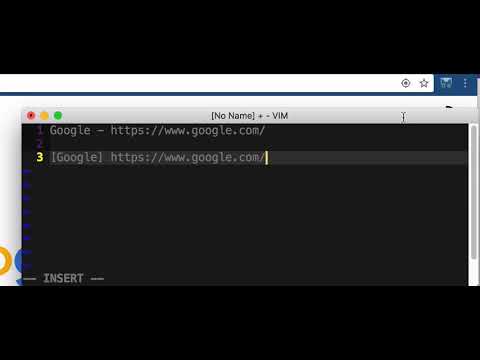
Quickly Copy Title and URL from Chrome Toolbar. After Install the extension, click the copy cat icon in Chrome's Toolbar. You can quickly copy Title and URL to the clipboard in different format. It's easy to paste the text in chat window, email, and so on. [Supported Format] - "Title - URL" - "[Title] URL" - Copy in Two Lines - Rich Text Link - HTML Link - Markdown Link - BBCode - Url Only - Title Only [Copy Mode] Either copy the current tab or select "All Tabs" for batch copy. [Shortcut / Hotkey] Copy Rich Text: - Windows: Alt+Shift+C - Mac: Ctrl+Shift+C Copy Markdown: - Windows: Alt+Shift+D - Mac: Ctrl+Shift+D Copy Title - URL: - Windows: Alt+Shift+X - Mac: Ctrl+Shift+X Copy Previous Format: - Windows: Alt+Shift+Z - Mac: Ctrl+Shift+Z [Settings] - Font Size - Column Layout - Sort Order - Context Menu On / Off - Shortcut Configuration coming soon! [Clean Format] The extension will clean up typical notification count prefix like "(4)" in the title (Thanks to David Jeske!) Icon credit : M.Y
5 点満点で 520 件の評価
詳細
- バージョン1.8.0
- 更新:2020年6月2日
- 提供元kiichi
- サイズ58.19KiB
- 言語English
- 非取引業者このデベロッパーは取引業者として申告していません。EU 加盟国の消費者とこのデベロッパーとの間に締結された契約には、消費者の権利が適用されません。
プライバシー
サポート
質問や提案、問題がある場合は、デベロッパーのサポートサイトにアクセスしてください。