


Обзор
Easily view and edit cookies for any website via toolbar popup!
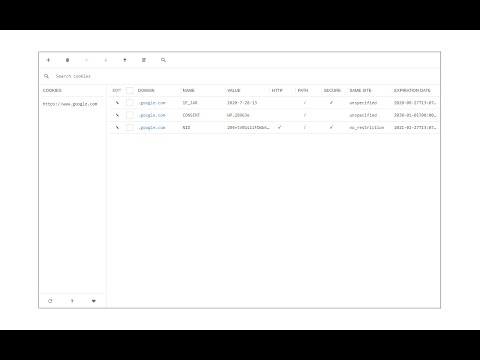
Cookie Editor allows users to add, edit, or remove desired cookies on any website. The interface for this addon can be opened in toolbar popup, a new tab, or a stand-alone window. Simply right-click on the toolbar button to choose the desired context. Once the UI is open, you will see all the available cookies for the active tab. Within the cookie table, you can see, domain, name, value, and other properties for each cookie item. Edit an item by clicking on the - pencil icon - next to it (left side). Moreover, items can be removed by marking the checkbox and then clicking on the - Remove - button at the top. In the top toolbar, there is a plus button that can be used to add a new cookie item for the current URL (or tab). Next is the trash icon which is for deleting all cookie items. Note: The Cookie Editor interface supports dark mode. To switch the interface theme to dark, please press the moon icon in the bottom-left toolbar. If you have a feature request or found a bug to report, please fill out the bug report form in the add-on's homepage (https://mybrowseraddon.com/cookie-editor.html).
3,5 из 52 оценки
Подробности
- Версия0.1.5
- Обновлено11 июля 2025 г.
- Автор:leocompson
- Размер45.86KiB
- ЯзыкиEnglish
- Разработчик
Электронная почта
leocompson@gmail.com - Не продавецРазработчик не указал для себя статус продавца. Просим клиентов из Европейского союза обратить внимание, что на сделки между вами и этим разработчиком не распространяются законы о защите прав потребителей.
Конфиденциальность
Этот разработчик утверждает, что ваши данные:
- Не продаются третьим лицам, за исключением разрешенных вариантов использования
- Не используются и не передаются в целях, не связанных с работой основных функций продукта
- Не используются и не передаются для определения платежеспособности или в целях кредитования
Поддержка
Сообщить об ошибках в работе приложения, задать вопрос или поделиться идеями можно на сайте разработчика.