


Ringkasan
Easily view and edit cookies for any website via toolbar popup!
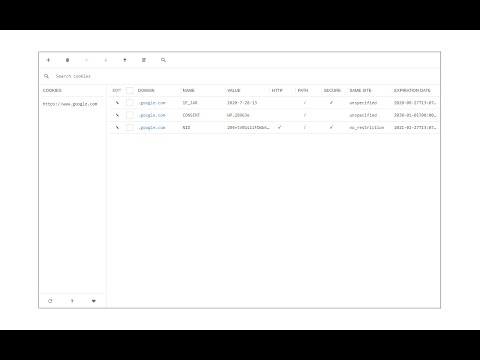
Cookie Editor allows users to add, edit, or remove desired cookies on any website. The interface for this addon can be opened in toolbar popup, a new tab, or a stand-alone window. Simply right-click on the toolbar button to choose the desired context. Once the UI is open, you will see all the available cookies for the active tab. Within the cookie table, you can see, domain, name, value, and other properties for each cookie item. Edit an item by clicking on the - pencil icon - next to it (left side). Moreover, items can be removed by marking the checkbox and then clicking on the - Remove - button at the top. In the top toolbar, there is a plus button that can be used to add a new cookie item for the current URL (or tab). Next is the trash icon which is for deleting all cookie items. Note: The Cookie Editor interface supports dark mode. To switch the interface theme to dark, please press the moon icon in the bottom-left toolbar. If you have a feature request or found a bug to report, please fill out the bug report form in the add-on's homepage (https://mybrowseraddon.com/cookie-editor.html).
3,5 dari 52 rating
Detail
- Versi0.1.6
- Diupdate26 Mei 2026
- Ditawarkan olehleocompson
- Ukuran49.79KiB
- BahasaEnglish
- Developer
Email
leocompson@gmail.com - Non-pedagangDeveloper ini tidak mengidentifikasi diri sebagai pedagang. Bagi konsumen di Uni Eropa, perlu diperhatikan bahwa hak konsumen tidak berlaku untuk kontrak antara Anda dan developer ini.
Privasi

Developer ini menyatakan bahwa data Anda
- Tidak dijual ke pihak ketiga, di luar kasus penggunaan yang disetujui
- Tidak digunakan atau ditransfer untuk tujuan yang tidak terkait dengan fungsi inti item
- Tidak digunakan atau ditransfer untuk menentukan kelayakan kredit atau untuk tujuan pinjaman
Dukungan
Untuk mendapatkan bantuan terkait pertanyaan, saran, atau masalah, kunjungi situs dukungan developer