

ConvoSnap: Export & Organize AI Chats | PDF, Docs, Markdown

Overview
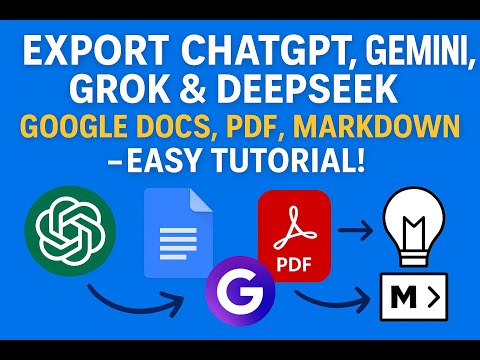
Export AI chats to PDF, Docs, and Markdown. Organize ChatGPT, Claude, Gemini, and Grok chats into folders.
ConvoSnap — Export & Organize Your AI Conversations | PDF, Google Docs, Markdown, and More ConvoSnap gives you two superpowers for your AI chats: powerful multi-format export and a personal folder system to organize every conversation. Whether you're archiving research, collaborating with a team, or just keeping your AI workflow tidy, ConvoSnap puts you in control. ───────────────────────────────── SUPPORTED AI PLATFORMS ───────────────────────────────── Works with major AI platforms including ChatGPT, Claude, Google Gemini, Grok and DeepSeek ───────────────────────────────── KEY FEATURES ───────────────────────────────── 📄 Flexible Export Options Export AI conversations to PDF, Markdown, and more — clean and ready to use. ☁️ Save to Google Docs or Sheets Send AI chats to your Google account for editing, analysis, and collaboration in documents or spreadsheets. 🔢 LaTeX Formula Support Copy mathematical equations from AI responses in LaTeX format — ready to use in your preferred editor or LaTeX tools. ✅ Selective Export Choose exactly which messages to export using per-message selection. Keep what matters and skip the rest. 📁 Folder Organization Organize your saved conversations with folders. Only conversation IDs are stored locally — not the message content. 🔒 Privacy First All processing happens locally in your browser. Your conversation content is not stored on our servers. ───────────────────────────────── WHO IS THIS FOR? ───────────────────────────────── • Researchers and students saving and referencing AI-generated content • Developers documenting AI-assisted workflows • Writers repurposing AI drafts • Professionals sharing AI outputs with teams • Anyone who wants a clean, portable record of their AI conversations ───────────────────────────────── FREQUENTLY ASKED QUESTIONS ───────────────────────────────── Q: Can I export only selected messages from a conversation? A: Yes. Select the messages you want and export only those parts. Q: Is my conversation data stored on your servers? A: No. Processing happens locally in your browser, and we do not store your conversation content. Q: Do I need to sign in? A: Signing in with your Google account is only required for document or spreadsheet export. Other formats work without login. Q: Which browsers are supported? A: Works on Chrome and other Chromium-based browsers like Edge, Brave, and Arc. ───────────────────────────────── SUPPORT & FEEDBACK ───────────────────────────────── Have a question or feature request? We read every message. 📧 natlan.tech@gmail.com Your feedback helps shape future updates. If ConvoSnap saves you time, consider leaving a review.
3.8 out of 58 ratings
Details
- Version1.1.0
- UpdatedApril 29, 2026
- FeaturesOffers in-app purchases
- Size1.69MiB
- Languages14 languages
- Developer
- Non-traderThis developer has not identified itself as a trader. For consumers in the European Union, please note that consumer rights do not apply to contracts between you and this developer.
Privacy

ConvoSnap: Export & Organize AI Chats | PDF, Docs, Markdown has disclosed the following information regarding the collection and usage of your data. More detailed information can be found in the developer's privacy policy.
ConvoSnap: Export & Organize AI Chats | PDF, Docs, Markdown handles the following:
This developer declares that your data is
- Not being sold to third parties, outside of the approved use cases
- Not being used or transferred for purposes that are unrelated to the item's core functionality
- Not being used or transferred to determine creditworthiness or for lending purposes