

Converter texto ou e-mail em evento de calendário

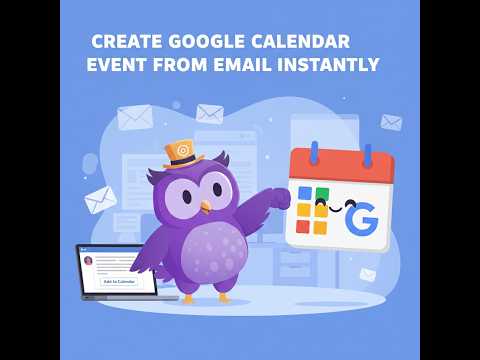
Visão geral
Text2Event: Selecione texto ou e-mail na tela e defina um lembrete ou evento para o Google Calendar, Outlook, Apple Calendar e…
Transform any text into calendar events instantly with Text2Event - the fastest way to add events to your calendar! 🚀 HOW IT WORKS: Simply describe your event in plain language, and Text2Event creates a calendar file you can open in any calendar app. Whether you're reading an email, browsing a website, or planning your schedule, creating calendar events has never been easier. 📝 TWO EASY WAYS TO USE: 1. Right-Click on Selected Text - Highlight any text describing an event (like "Team meeting tomorrow at 2 PM") and choose "Create event from text" from the context menu. 2. Click the Extension Icon - Open the popup, type your event description, and click to generate. ⚡ POWERFUL FEATURES: ✓ Natural Language Processing - Understands dates like "next Tuesday", "tomorrow at 3pm", or "January 15th at 10am" ✓ Smart Reminders - Mention "remind me 1 hour before" and it's automatically added ✓ Recurring Events - Create repeating events like "Team standup every weekday at 9am" ✓ Automatic Timezone Detection - Uses your local timezone automatically ✓ Multi-Language Support - Understands event descriptions in any language ✓ Universal Calendar Compatibility - Works with Google Calendar, Outlook, Apple Calendar, and any app that supports .ics files 🎯 FLEXIBLE OPTIONS: Choose your preferred workflow: • Download .ics files to open in any calendar app • Automatically open events directly in Google Calendar No account required. No subscription fees. Just a simple, powerful tool to save you time every day. 🔒 PRIVACY FIRST: Your event descriptions are processed to generate calendar files, but we don't store your personal information. See our privacy policy for details. 💼 PERFECT FOR: • Scheduling meetings from email • Adding appointments while browsing • Creating reminders from task lists • Converting event information from any website • Quick calendar entry without switching apps Save hours of manual calendar entry. Try Text2Event today! What's New in Version 1.2.0 📊 NEW: Event details display - See extracted event title, date, and recurring status at a glance 🎯 NEW: Multiple calendar options - Direct links for Google Calendar, Outlook Live, and Outlook Office 🖼️ NEW: Beautiful calendar icons - Visual icons for each calendar provider ⚠️ SMART: Recurring event warnings - Clear notice when Outlook links don't support recurring settings 📱 NEW: "Open calendar file" button - Quick access to open downloaded files with your default app 🔄 IMPROVED: Popup stays open - Take multiple actions without regenerating the event ✨ ENHANCED: Better button layout with visual hierarchy and proper alignment 🎨 POLISHED: Professional icon design for all calendar providers ✨ What's New in Version 1.1.1 🎨 Popup instead of notifications
5 de 510 notas
Detalhes
- Versão1.7.0
- Atualização21 de maio de 2026
- Tamanho57.71KiB
- Idiomas6 idiomas
- Desenvolvedor
- Não negocianteEsse desenvolvedor não se identificou como comerciante. Caso você seja da União Europeia, observe que os direitos do consumidor não se aplicam a contratos firmados entre você e esse desenvolvedor.
Privacidade

Converter texto ou e-mail em evento de calendário divulgou as informações a seguir sobre a coleta e o uso dos seus dados. Para mais detalhes, consulte estas informações do desenvolvedor: privacy policy.
Converter texto ou e-mail em evento de calendário processa o seguinte:
O desenvolvedor declara que seus dados
- Não são vendidos a terceiros, exceto nos casos de uso aprovados
- Não são usados ou transferidos para fins não relacionados à função principal do item
- Não são usados ou transferidos para informações de crédito ou empréstimo
Suporte
Para receber ajuda com perguntas, sugestões ou problemas, acesse o site de suporte do desenvolvedor.