

Convert Case: Text Case Converter

Overview
Case converter: change text to UPPERCASE, lowercase, Title Case, Sentence case or camelCase in place. Works in Google Docs.
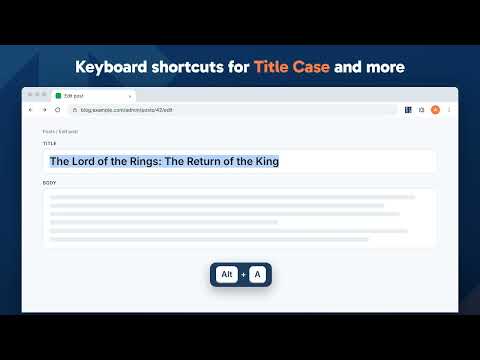
Change the case of text without retyping it. Convert Case is a case converter for your browser: select text on any page, right-click, and change it to UPPERCASE, lowercase, Title Case, Sentence case, camelCase or one of 11 other cases, in place, with no copying and pasting. Use it to fix text typed with Caps Lock on, capitalize headings, or turn a phrase into a variable name or a URL slug. It works in text boxes, rich text editors and Google Docs, with keyboard shortcuts, automatic copying to the clipboard, live character and word counts, and menus in 15 languages. Writing conversions UPPER CASE, lower case, Title Case, Sentence case, Capitalized Case, No Accents Developer conversions Turn a phrase into a variable or file name in camelCase, PascalCase, snake_case, SCREAMING_SNAKE_CASE, kebab-case or dot.case. Utility conversions Alternating Case, Inverse Case, No Case (plain lowercase words), Slugify (URL slugs) Features • Change case in place via right-click context menu • Ctrl+Z undoes a conversion, and converting text across links or bold keeps them • Keyboard shortcuts for quick access (Alt+U, Alt+L, Alt+C, Alt+A) - or set your own • Copy After Conversion - automatically copies converted text to the clipboard • Automatic proper noun casing in Title Case, Sentence case, and Capitalized Case - thousands of names, places, brands, and acronyms are recognized and cased correctly (Paris, IBM, Abu Dhabi, iOS) - toggle off or add your own custom terms in Settings • Counts submenu with live character, word, sentence, and line counts for the current selection • Configurable Title Case options (ignore words like "the", "and", "of") Also from Convert Case Fancy Fonts styles selected text in bold, italic, script and many other Unicode styles, in place on any site. Privacy All conversions are performed locally on your device. Convert Case does not collect, transmit, or store any user data. Languages English, British English, Deutsch, Ελληνικά, Español, Filipino, Français, हिन्दी, Magyar, Italiano, Polski, Português, Slovenščina, Türkçe, Українська. Automatically follows your browser's language; can be overridden in Settings. Changelog • 2.6.0 - Fancy Fonts, our extension for bold, italic and other text styles, gets a line in the popup and Settings and one item in the right-click menu while it is not installed; the menu item goes after one click. After 20 conversions over at least three days, a "Rate Convert Case" link takes turns with it in the same places, and goes after one click • 2.5.0 - New kebab-case conversion, which keeps words in any alphabet, as the site's does. Conversions now match convertcase.net: Title Case, Sentence case and Capitalized Case handle abbreviations, initials, quotes and hyphenated words as the site does, and words that are also names (rest, polish, zoom) keep their own casing unless typed as the name; the developer conversions work in any alphabet and convert each line on its own. param-case is now Slugify and CONSTANT_CASE is SCREAMING_SNAKE_CASE, as on the site, and path/case is removed. Converting text that spans links or bold keeps them, and in a text box, an editor or Google Docs, Ctrl+Z undoes the conversion (text on the page that cannot be edited cannot be undone). The popup and settings follow the site's design, with dark mode. Copy After Conversion is also a switch in Settings, and the two stay in step. Fixed the menu changing for a background tab, counts resetting to 0, Google Docs overwriting the clipboard when converting from the right-click menu in Chrome, and large custom word lists not saving • 2.4.3 - Fixed the space after a word being deleted when converting - double-clicking a word on Windows selects the space that follows it, and conversions such as No Case, PascalCase and CONSTANT_CASE were swallowing it, so "Lorem ipsum dolor" became "Lorem ipsumdolor" All versions: https://convertcase.net/browser-extension/
4.4 out of 545 ratings
Details
- Version2.6.0
- UpdatedNovember 12, 2026
- Size167KiB
- Languages15 languages
- DeveloperConvert Case LtdWebsite
31-38 Queen Street Hull HU1 1UU GBEmail
hello@convertcase.netPhone
+44 7951 864386 - TraderThis developer has identified itself as a trader per the definition from the European Union and committed to only offer products or services that comply with EU laws.
- D-U-N-S224432444
Privacy

This developer declares that your data is
- Not being sold to third parties, outside of the approved use cases
- Not being used or transferred for purposes that are unrelated to the item's core functionality
- Not being used or transferred to determine creditworthiness or for lending purposes
Support
For help with questions, suggestions, or problems, please open this page on your desktop browser