Item logo image for controlx

controlx

Featured
Item media 2 (screenshot) for controlx
Item media 3 (screenshot) for controlx
Item video thumbnail
Item media 2 (screenshot) for controlx
Item media 3 (screenshot) for controlx
Item video thumbnail
Item media 2 (screenshot) for controlx
Item video thumbnail
Item media 2 (screenshot) for controlx
Item media 3 (screenshot) for controlx

Overview

Redesign any webpage to quickly customize pages, mock up redesigns, and suggest edits to your designer.

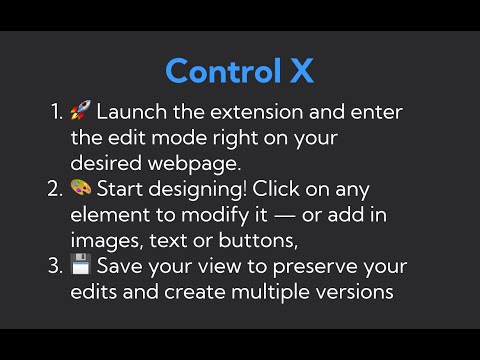
🔥 Transform any webpage with a simple, powerful editing tool that feels like Google Docs for web design! Are you in growth, marketing, or UX? Tired of waiting on designers for every little change? Say goodbye to bottlenecks and hello to Control X, the Chrome extension that lets you redesign any webpage in a few clicks (without needing to dip into Figma). What’s In It for You? ✂️ Cut Down on Design Time: Make quick, impactful edits directly on your web page—no design degree required. 📅 Version Control: Keep track of your changes with saved versions, complete with timestamps. 🌈 Full Spectrum Editing: Adjust text, fonts, colors, images, and more with a few clicks. 🔧 Add Instantly: Drop in new text, buttons, overlays, and boxes, crafting that perfect mockup in minutes. 👀 Preview & Share: Visualize changes instantly and share mockups for fast feedback. 🛠️ Figma? Don't get stuck pushing pixels around a screen. Create simple, pixel-perfect designs with no design skills. How It Works 🚀 Launch the extension and enter the edit mode right on your desired webpage. 🎨 Start tweaking! Click on any element to modify it—no sidebar menus, no complex controls. 💾 Save your view to preserve your edits and create multiple versions for different needs. 🔄 Switch between saved views to compare and decide which edits make the cut. Who's It For? Growth Hackers looking to A/B test swiftly UX Designers crafting user-centric interfaces Digital Marketers personalizing landing pages Product Managers conveying ideas clearly You, the visionary who thrives on speed and simplicity 🎯 Goal-Oriented Design Made Simple We know you're not just making changes; you're optimizing for conversions, user experience, and that "wow" factor. Control X isn’t just a tool; it’s your design partner in the digital space.

Details

  • Version
    0.0.3
  • Updated
    November 30, 2023
  • Offered by
    anneliese.niebauer
  • Size
    2.46MiB
  • Languages
    English
  • Developer
    Email
    anneliese@flecti.com
  • Non-trader
    This developer has not identified itself as a trader. For consumers in the European Union, please note that consumer rights do not apply to contracts between you and this developer.

Privacy

The developer has disclosed that it will not collect or use your data.

This developer declares that your data is

  • Not being sold to third parties, outside of the approved use cases
  • Not being used or transferred for purposes that are unrelated to the item's core functionality
  • Not being used or transferred to determine creditworthiness or for lending purposes

Related

CSS Pully – Font & Color & Style Inspector

5.0

Font & CSS Detector - CSS Pully extracts colors, fonts, shadows, and styles from any webpage. Perfect for designers & developers.

Hoverify: All-in-one extension for web developers

4.1

All-in-one browser extension that helps you inspect, edit, test, debug, capture, and optimize websites faster.

Visual CSS Editor

3.5

Customize any website visually.

Refore 网页转设计(一键将任意网页导入到 MasterGo/Pixso/即时设计)

4.4

将任何网页导入到 MasterGo、Pixso或即时设计以继续编辑,像素级还原。快速设计迭代,抄作业神器

Design Mode - Page's Rich Text Editor

4.7

Edit any page's content by switching to design mode, where you can modify the content and drag images around like a Word Editor

Text & Image Replacer Extension

5.0

Replace webpage text and images with custom content. Clean, fast, and configurable.

Codia AI Web2Figma: Import Web to Editable Figma

4.2

Transform the web into your design canvas—no code, no screenshots

Amino: Live CSS Editor

4.3

Customize any website with your own CSS and see your changes instantly with Amino!

Edit Anything

0.0

Edit Anything – Modify Any Website Instantly!

Edit Anything with Creative Power

5.0

Edit any website, take screenshots, and enhance any webpage with powerful tools

Page Editable

4.8

Edit any webpage — no coding needed

HTML to Figma: Convert Websites into Designs & Wireframes by Wireframeit

4.1

Convert any webpage into an editable design or wireframe. Export to Figma, SVG, PNG, or JPG.

CSS Pully – Font & Color & Style Inspector

5.0

Font & CSS Detector - CSS Pully extracts colors, fonts, shadows, and styles from any webpage. Perfect for designers & developers.

Hoverify: All-in-one extension for web developers

4.1

All-in-one browser extension that helps you inspect, edit, test, debug, capture, and optimize websites faster.

Visual CSS Editor

3.5

Customize any website visually.

Refore 网页转设计(一键将任意网页导入到 MasterGo/Pixso/即时设计)

4.4

将任何网页导入到 MasterGo、Pixso或即时设计以继续编辑,像素级还原。快速设计迭代,抄作业神器

Design Mode - Page's Rich Text Editor

4.7

Edit any page's content by switching to design mode, where you can modify the content and drag images around like a Word Editor

Text & Image Replacer Extension

5.0

Replace webpage text and images with custom content. Clean, fast, and configurable.

Codia AI Web2Figma: Import Web to Editable Figma

4.2

Transform the web into your design canvas—no code, no screenshots

Amino: Live CSS Editor

4.3

Customize any website with your own CSS and see your changes instantly with Amino!

Google apps