

ControlStadia
15 个评分
)
概述
ControlStadia allows arbitrary mapping of input devices to a "standard" virtual input controller which works with Stadia!
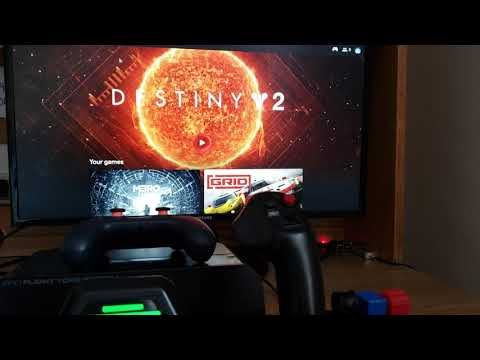
With ControlStadia, you can: * Map up to four physical gamepads to a single "standard" virtual gamepad which works with Stadia. * Scale and offset axis to increase or decrease sensitivity, change axis ranges. * Do normal things like playing GRID with a steering wheel and pedals! * Do ridiculous things like playing Borderlands 3 with a flight yoke and throttle quadrant! Usage: Simply install the extension and open or refresh Stadia! Click the extension icon to configure your virtual joypad. Once the extension menu is open, it should automatically look for any joysticks plugged into your PC. If none show up, try pressing a button or moving a stick on one. Once the mapping controls appear, you can now set each button and axis for the virtual gamepad. The "target gamepad" at selected at the top is the gamepad which will be scanned for input when you click on a mapping button. If you want to include controls from multiple gamepads, make sure you switch this target option to the correct one BEFORE pressing a mapping button. The "Scale" field will multiply input by the factor specified. For example, setting this to two will cause the joystick to become twice as sensitive, but also lose twice its range of motion, since ControlStadia caps axis values to the range [-1, 1]. You can also use a negative scale to invert the axis. The "Offset" field will add a constant value to the input. ControlStadia has manifest permissions to run on html5gamepad.com, where you can view the output values of the virtual controller. I highly recommend setting up your virtual controller while on this page! Scale and offset example: Say you're trying to map R2 to a controller axis that ranges from [-1, 1]. Because R2 expects a value in the range [0, 1], we must both scale and offset the axis. In this case, the scale would be 0.5 (changing the range to [-0.5, 0.5]) and the offset would be 0.5, (changing the range to [0, 1]). If you would like to make a suggestion, report an issue found while playing games on Stadia with ControlStadia, or would like to view the list of currently known issues an suggestions, please visit the GitHub issues page here: https://github.com/ihatecsv/ControlStadia/issues
3.9 星(5 星制)15 个评分
详情
- 版本0.0.2
- 上次更新日期2021年1月12日
- 提供方ihatecsv
- 大小56.58KiB
- 语言English
- 开发者
邮箱
touchstadia@drakeluce.com - 非交易者该开发者尚未将自己标识为交易者。欧盟地区消费者须知:消费者权利可能不适用于您与该开发者达成的合约。
隐私权

该开发者已声明,您的数据:
- 不会因未获批准的用途出售给第三方
- 不会为实现与产品核心功能无关的目的而使用或转移
- 不会为确定信用度或放贷目的而使用或转移
支持
若有任何疑问、建议或问题,请访问开发者的支持网站