

ContextSwitch

Overview
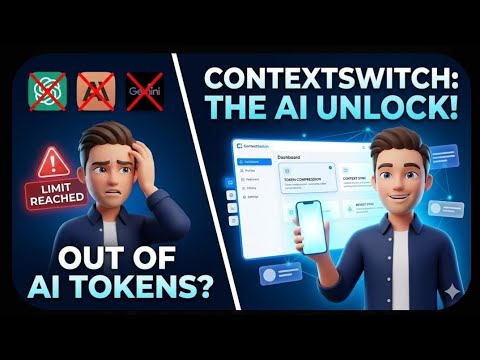
Save, compress and restore conversations across ChatGPT, Claude, Gemini, and other AI sessions.
Never lose your AI conversation context again. Hit a rate limit or want a second opinion from another assistant? ContextSwitch saves your conversation, compresses it, and restores it in a new chat so you can continue without re-explaining everything. KEY FEATURES 1. One-click save Capture the full conversation and keep it as a project stored locally in your browser. 2. AI context compression Turn a long conversation into a compact summary that keeps decisions, tasks and technical details, typically reducing size by up to 70%. 3. Prompt improver An "Improve Prompt" button inside the chat box rewrites your draft to be clearer and more specific while keeping your intent. 4. Context token meter A small in-page meter estimates how much of the context window your conversation uses, with adjustable budgets. 5. Restore anywhere Load the full or compressed context into the current chat or open it in another supported assistant. 6. Usage dashboard See compressions, prompt improvements, estimated tokens saved and remaining monthly allowance. HOW IT WORKS 1. Sign in with Google in the extension popup. 2. Open a supported AI chat and click "Save Full Context". 3. On your saved project, choose "Load Full" or "Compress". 4. Pick where to continue and keep working. Works with ChatGPT, Claude, Gemini and other popular AI chat assistants. The full list is at https://www.context-switch.dev PLANS Free: unlimited local saves, cross-assistant restore, token meter, 3 AI compressions and 2 prompt improvements to try. Pro: 100 compressions and 100 prompt improvements per month, ad-free. Enterprise: 300 compressions and 600 prompt improvements per month, ad-free. The free plan shows clearly labeled sponsored content inside the extension popup only. No chat content or browsing data is shared with sponsors. PRIVACY Saved conversations stay in your browser's local storage. Text is sent to our server only when you choose to compress a conversation or improve a prompt, and it is not retained after processing. We never sell your data. Privacy policy: https://www.context-switch.dev/privacy SUPPORT https://www.context-switch.dev/contact
4.5 out of 58 ratings
Details
- Version1.5.1
- UpdatedOctober 22, 2026
- Size65.74KiB
- LanguagesEnglish
- DeveloperEkansh kumarWebsite
2026, Sector 62 Road ballabgarh Faridabad, Haryana 121004 INEmail
ekanshrajput1607@gmail.comPhone
+91 93102 28549 - TraderThis developer has identified itself as a trader per the definition from the European Union and committed to only offer products or services that comply with EU laws.
Privacy

ContextSwitch has disclosed the following information regarding the collection and usage of your data. More detailed information can be found in the developer's privacy policy.
ContextSwitch handles the following:
This developer declares that your data is
- Not being sold to third parties, outside of the approved use cases
- Not being used or transferred for purposes that are unrelated to the item's core functionality
- Not being used or transferred to determine creditworthiness or for lending purposes
Support
For help with questions, suggestions, or problems, please open this page on your desktop browser