


Overview
Contextly — AI writing assistant Chrome extension
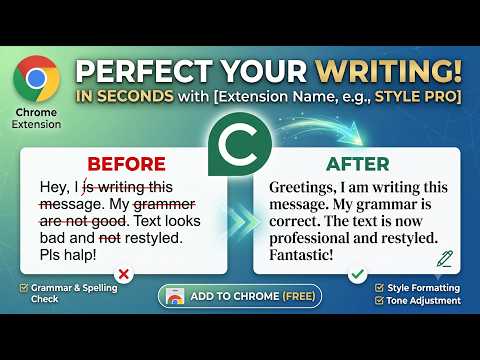
Contextly is a free AI writing assistant for Chrome. Select text while you browse, choose a prompt, preview the result, and apply it—without leaving the page. Installing and using Contextly is 100% free. ━━━━━━━━━━━━━━━━━━━━ FREE FOREVER ━━━━━━━━━━━━━━━━━━━━ Contextly is free to install and free to use. No paid plan is required to get started. Write better emails, posts, messages, and drafts with AI help that stays out of your way until you need it. ━━━━━━━━━━━━━━━━━━━━ HOW IT WORKS ━━━━━━━━━━━━━━━━━━━━ 1. Select text in an input, textarea, or editable field on any webpage 2. Click the Contextly logo near your selection 3. Pick a prompt (your favorites appear first) 4. Preview the AI result, then Apply That’s it—writing help in context, right where you already work. ━━━━━━━━━━━━━━━━━━━━ WHAT YOU CAN DO ━━━━━━━━━━━━━━━━━━━━ • Fix spelling, typos, and grammar with minimal edits • Rewrite for a professional, casual, polite, or social tone • Summarize long text quickly • Draft a professional reply to an email or message • Lightly add emojis when you want a more expressive touch • Create and manage your own custom prompts Built-in starters include Spelling and grammar, Summarize, Professional, Casual, Social, Polite, Emojify, and Professional reply—and you can add more that match how you write. ━━━━━━━━━━━━━━━━━━━━ BUILT FOR REAL BROWSING ━━━━━━━━━━━━━━━━━━━━ Contextly works while you browse. Use it in forms, docs-in-the-browser, email composers, social posts, chat boxes, and other editable fields—wherever you select text and need a better version fast. The popup is for account access and managing prompts. The main experience lives on the page: logo → prompts → preview → Apply. ━━━━━━━━━━━━━━━━━━━━ WHY INSTALL CONTEXTLY ━━━━━━━━━━━━━━━━━━━━ • Stay in flow—no copy/paste into a separate AI chat • Preview before you commit, so you’re always in control • Favorites-first prompts for the actions you use most • Customize prompts to your voice and workflows • Free to install and free to use ━━━━━━━━━━━━━━━━━━━━ GET STARTED (FREE) ━━━━━━━━━━━━━━━━━━━━ 1. Install Contextly from the Chrome Web Store—free 2. Sign in from the extension popup 3. Select text on any page and click the Contextly logo 4. Choose a prompt, preview, and Apply Contextly: AI writing help in context. Free forever.
0 out of 5No ratings
Details
- Version0.1.0
- UpdatedSeptember 13, 2026
- Size109KiB
- LanguagesEnglish (United States)
- DeveloperWebsite
Email
adil.abbadi.1996@gmail.com - Non-traderThis developer has not identified itself as a trader. For consumers in the European Union, please note that consumer rights do not apply to contracts between you and this developer.
Privacy

Contextly has disclosed the following information regarding the collection and usage of your data. More detailed information can be found in the developer's privacy policy.
Contextly handles the following:
This developer declares that your data is
- Not being sold to third parties, outside of the approved use cases
- Not being used or transferred for purposes that are unrelated to the item's core functionality
- Not being used or transferred to determine creditworthiness or for lending purposes