


Overview
Visibility & Controls for Browser Agents
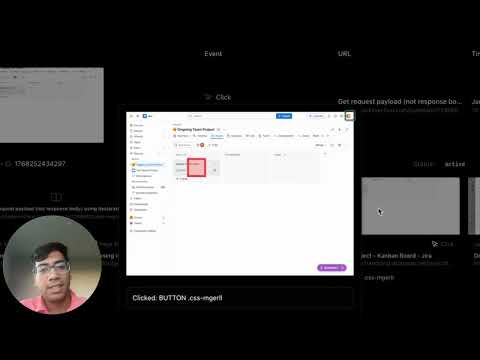
This extension helps provide enterprise-grade visibility and controls over browser agents through a browser extension. Browser agents are AI copilots that can autonomously navigate and take actions in your browser. They show up as standalone browsers (Comet, Atlas) or Chrome extensions (Claude). They are particularly useful in sites where web search or connectors to chatbots don’t work well, like searching Google Groups conversations for bug solutions or pulling invoices from BILL.com A big roadblock to enterprise adoption is indirect prompt injection. A malicious email can trick the agent into reading through important emails and sending the summary to the attacker, or pasting it in a contact form on a website the attacker owns. The outcome may not just be data exfiltration, it can also be destructive, like deleting Excel sheets containing important financials. We believe the first step towards any set of guardrails is visibility. Security teams want to know how employees are using agents: when control is handed over, which pages it visits during a session and what it does on each page (what was clicked and where text was input). We reverse engineered how Comet, Atlas, and the Claude Chrome extension work and built a visibility layer that tracks agent sessions end-to-end. The main features are: • Session Tracking: Automatically detect when AI agent mode starts and track complete sessions with timestamps, duration, and status • Screenshot Audit Trail: Capture before/after screenshots of every agent action (clicks, inputs, navigation) for forensic review • Navigation History: Track all URLs and page titles visited during agent sessions • Event Logging: Record every click, input, and interaction the agent makes with detailed element metadata • Visual Dashboard: Review all agent sessions, screenshots, and activity in an intuitive interface On top of that, we give simple controls for security teams to act on based on what the visibility layer captures: 1) Action Blocking: Block clicking or typing in specific UI elements on specific pages (e.g., prevent the agent from clicking “Submit” on email) 2) Domain Isolation: Block specific page combinations within a single agent session (e.g., block navigation to email after the agent interacted with a public page) or apply a stricter policy and block navigation to email entirely Some more Features: - Block URLs with query parameters (prevents data leakage through URL params) - Disable clickable URLs in sidechat (prevents accidental exposure of internal links)
0 out of 5No ratings
Details
- Version1.0.1
- UpdatedJanuary 19, 2026
- Size817KiB
- LanguagesEnglish
- DeveloperWebsite
Email
ashwin@contextfort.ai - Non-traderThis developer has not identified itself as a trader. For consumers in the European Union, please note that consumer rights do not apply to contracts between you and this developer.
Privacy

ContextFort has disclosed the following information regarding the collection and usage of your data. More detailed information can be found in the developer's privacy policy.
ContextFort handles the following:
This developer declares that your data is
- Not being sold to third parties, outside of the approved use cases
- Not being used or transferred for purposes that are unrelated to the item's core functionality
- Not being used or transferred to determine creditworthiness or for lending purposes