Item logo image for Context

Context

Item media 5 (screenshot) for Context
Item video thumbnail
Item media 2 (screenshot) for Context
Item media 3 (screenshot) for Context
Item media 4 (screenshot) for Context
Item media 5 (screenshot) for Context
Item video thumbnail
Item media 2 (screenshot) for Context
Item media 3 (screenshot) for Context
Item media 4 (screenshot) for Context
Item media 5 (screenshot) for Context

Overview

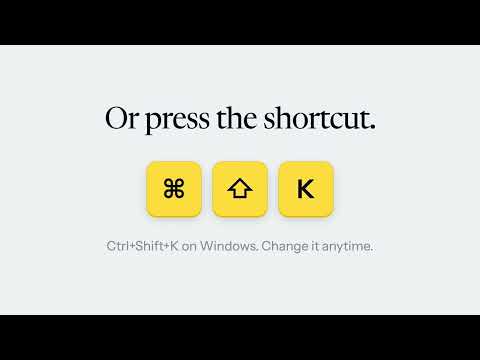
Select text on any page and get a plain explanation right next to it. Press Cmd/Ctrl+Shift+K or click Explain.

Context explains anything you read, right where you read it. Select a word, a sentence, or a whole paragraph, and a short, plain answer opens beside it. No new tabs, no copy and paste, no chat to scroll through. How it works 1. Select text on any page: an article, a contract, documentation, a paper. 2. Press Cmd+Shift+K (Ctrl+Shift+K on Windows), or click the Explain button that appears next to your selection. 3. Read the answer next to the text. Press Esc to close it. Made for reading - Answers in 15 languages, including Spanish, Japanese, Hindi, and Arabic. - Light and dark appearance that follows your system. - Change the shortcut or turn off the Explain button anytime. - Your last few answers are kept in your browser so you can copy them again. Pricing - Free: 4 answers a week, no account needed. - Pro: 15 answers a day for $9.99/year. Cancel anytime; billing is handled by Stripe. Privacy Context only sends the text you choose to explain. It doesn't read the rest of the page, track your browsing, or sell your data. Privacy policy: https://context-9ne.pages.dev/#privacy

Details

  • Version
    0.6.0
  • Updated
    November 1, 2026
  • Features
    Offers in-app purchases
  • Offered by
    sebrproduction
  • Size
    260KiB
  • Languages
    English
  • Developer
    Email
    sebrproduction@gmail.com
  • Non-trader
    This developer has not identified itself as a trader. For consumers in the European Union, please note that consumer rights do not apply to contracts between you and this developer.

Privacy

Manage extensions and learn how they're being used in your organization

Context has disclosed the following information regarding the collection and usage of your data. More detailed information can be found in the developer's privacy policy.

Context handles the following:

Personally identifiable information
Authentication information
Website content

This developer declares that your data is

  • Not being sold to third parties, outside of the approved use cases
  • Not being used or transferred for purposes that are unrelated to the item's core functionality
  • Not being used or transferred to determine creditworthiness or for lending purposes

Support

For help with questions, suggestions, or problems, visit the developer's support site

Related

Hilo - AI Explain, Simplify & Translate Highlighted Text

5.0

Select any text to explain, simplify or translate it with AI, right next to what you're reading. 10 free tries, no account needed.

ExplainTXT: Highlight text. Ask AI.

4.2

Highlight text to explain, summarize or read it aloud. Summarize any page with one shortcut.

ContextLens

0.0

Select text on any page to explain, summarize, or rewrite it with AI.

AI 划词解释

0.0

选中网页上的词条,用 AI 解释它的含义。支持 Claude / OpenAI / DeepSeek / Gemini。

WDIMTM — What Does It Mean To Me?

0.0

Select text on any page and get a concise, context-aware explanation without leaving the flow.

AI Sidekick: Summarize & Translate Any Page or YouTube Video

0.0

AI side-panel assistant that explains, summarizes and translates any page, and types what you say. Saves you time and effort.

ClickNote

0.0

Fast contextual reading assistant - select text on any page and get an instant, page-aware explanation.

BeqSpark: ask AI about any text

0.0

Select any text to explain, summarize or translate it with AI, or run your own actions and put the answer back in the page.

Explainly

5.0

Select any text anywhere and get an instant context-aware explanation. Meaning, tone, and simpler rewrites — right where you read.

Shiwen — Explain What You Select

5.0

Select text on any page, right-click or hit a shortcut to Explain: your own AI explains it in context, with follow-ups and audio.

Glance Translate

0.0

Translate selected text where you read it, with Chrome's on-device translator or keyless services. Add an AI key to explain it.

Cassie: Study Tutor

0.0

Highlight text on any page and ask Cassie for an explanation, answer, or code. Free, no key needed.

Hilo - AI Explain, Simplify & Translate Highlighted Text

5.0

Select any text to explain, simplify or translate it with AI, right next to what you're reading. 10 free tries, no account needed.

ExplainTXT: Highlight text. Ask AI.

4.2

Highlight text to explain, summarize or read it aloud. Summarize any page with one shortcut.

ContextLens

0.0

Select text on any page to explain, summarize, or rewrite it with AI.

AI 划词解释

0.0

选中网页上的词条,用 AI 解释它的含义。支持 Claude / OpenAI / DeepSeek / Gemini。

WDIMTM — What Does It Mean To Me?

0.0

Select text on any page and get a concise, context-aware explanation without leaving the flow.

AI Sidekick: Summarize & Translate Any Page or YouTube Video

0.0

AI side-panel assistant that explains, summarizes and translates any page, and types what you say. Saves you time and effort.

ClickNote

0.0

Fast contextual reading assistant - select text on any page and get an instant, page-aware explanation.

BeqSpark: ask AI about any text

0.0

Select any text to explain, summarize or translate it with AI, or run your own actions and put the answer back in the page.

Google apps