

Context Wallet
2 ratings
)
Overview
Your context cards for AI conversations
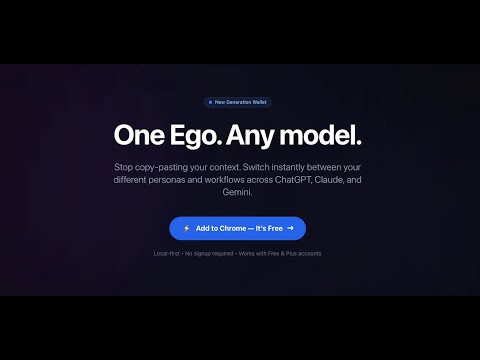
One Ego. Any model. Switch your “Ego Card” (your working self: role, tone, context) across AI chat pages—so you don’t have to re-introduce yourself every time you move between models. Why Context Wallet? If you use multiple AI tools (ChatGPT, Claude, Gemini, local LLM web UIs), you’ve felt the pain: • Your context doesn’t carry over • You repeat the same background, tone, and project state • Switching models breaks your flow Context Wallet fixes that with a simple wallet metaphor: create cards, switch cards, keep your ego. Key features • Ego Cards (Context Cards): Save your role, tone, preferences, and project state as a card • Switch instantly: Work / Writing / Builder / Private—swap your active card in one click • Apply to your current page: Use the active card on the AI page you’re on • Works even when page layouts change: Fallback to Copy to clipboard when direct apply isn’t available • Portable: Export/Import your cards anytime Privacy & data ownership • Local-first: Your cards are stored locally by default (Chrome local storage) • No server upload by default • You own your context: Export/Import anytime • Tip: Don’t store passwords, API keys, or sensitive identifiers in cards Supported (initial) • ChatGPT • Claude • Gemini (More sites and local LLM web UIs coming.) Quick start 1. Create your first Ego Card (Work / Writing / Private…) 2. Select it as your active card 3. Click Switch/Apply and start chatting
4 out of 52 ratings
Details
- Version1.2.6
- UpdatedJune 18, 2026
- Offered byOBF
- Size4.01MiB
- LanguagesEnglish (United States)
- DeveloperOswarld's boutique consulting firms
2, Gukjegeumyung-ro 8-gil 4 Yeongdeungpo-gu, Seoul 07330 KREmail
me@oswarld.com - Non-traderThis developer has not identified itself as a trader. For consumers in the European Union, please note that consumer rights do not apply to contracts between you and this developer.
Privacy

Context Wallet has disclosed the following information regarding the collection and usage of your data. More detailed information can be found in the developer's privacy policy.
Context Wallet handles the following:
This developer declares that your data is
- Not being sold to third parties, outside of the approved use cases
- Not being used or transferred for purposes that are unrelated to the item's core functionality
- Not being used or transferred to determine creditworthiness or for lending purposes
Support
For help with questions, suggestions, or problems, visit the developer's support site