

ContextDrone - Carry Your AI Conversations Anywhere

Overview
Filter valuable conversations! Collect, assemble, and export chat history. Seamlessly transfer across LLMs with prompt management.
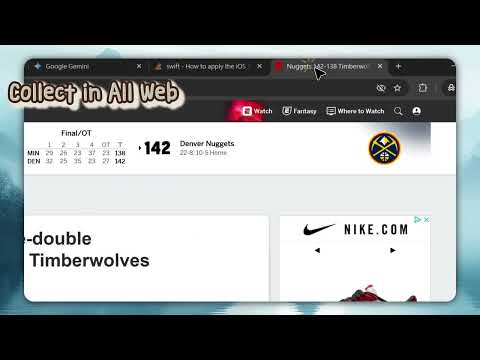
🧺 Smart Context Basket - Dragging and Dropping, even Painting on Context. 🔄 Instant Cross-Platform Transfer - Single click with auto fill-in. 📱 Mobile Handoff via Secure QR - Secure QR code to transfer contents. 📍 Context Anchors & Quick Jump - "Ping" key positions to create temporary anchors. ⚡ Multi-Model Arena with BYO mode. - Running multiple models in a single window. 🎐 PiP Floating Window - Chat without interruption & tag to your contents. 🔒 Privacy First - Built with a Local-First architecture. - API keys are stored strictly on your device. - We do not track your usage content. [How to Unlock AI Features?] → In the Standard UI: Click Advanced Options > AI Settings. → In Cargo Mode: Click the Antenna icon to unlock.
5 out of 55 ratings
Details
- Version1.7.0
- UpdatedJanuary 20, 2026
- Size1.32MiB
- Languages5 languages
- DeveloperWebsite
Email
a0983828539@gmail.com - Non-traderThis developer has not identified itself as a trader. For consumers in the European Union, please note that consumer rights do not apply to contracts between you and this developer.
Privacy

ContextDrone - Carry Your AI Conversations Anywhere has disclosed the following information regarding the collection and usage of your data. More detailed information can be found in the developer's privacy policy.
ContextDrone - Carry Your AI Conversations Anywhere handles the following:
This developer declares that your data is
- Not being sold to third parties, outside of the approved use cases
- Not being used or transferred for purposes that are unrelated to the item's core functionality
- Not being used or transferred to determine creditworthiness or for lending purposes
Support
For help with questions, suggestions, or problems, please open this page on your desktop browser