


Overview
Create carousels, posts & graphics for Instagram, LinkedIn, TikTok from any article or video. AI-powered social content creator.
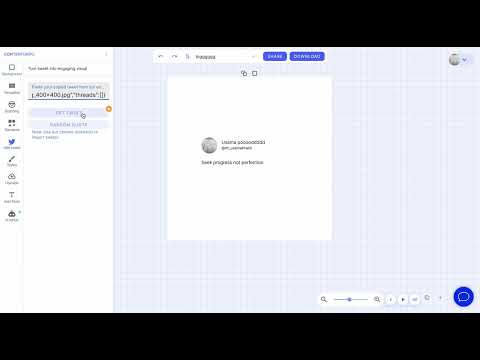
Contentdrips — Create social media content from anything you read online Turn articles, YouTube videos, selected text, and images into ready-to-post content for Instagram, LinkedIn, TikTok, and more - without copy-pasting between tabs. Contentdrips is the fastest way to go from “I found something good on the web” to “I have a post, carousel, or graphic ready to publish.” Why install Contentdrips? If you create content for social media, you already know the workflow: find an article → copy the URL → open your design tool → paste again → pick a format → wait for generation. Contentdrips cuts that down to one or two clicks, right from the page you’re on. Whether you’re a founder, marketer, creator, or agency, Contentdrips helps you repurpose content faster and post more consistently. What you can create • Text posts — Turn blog articles, YouTube videos, or highlighted quotes into social media post drafts • Carousels — Repurpose articles and videos into multi-slide carousels for Instagram, LinkedIn, and more • Graphics — Create single-image posts, quote graphics, and visual content from any source • AI-designed content — Use the AI Design Agent to describe what you want and generate carousels or graphics with AI Works across platforms: Instagram carousels, LinkedIn posts & carousels, TikTok-style graphics, and general social media content. Two ways to create — pick what fits your flow 1. Right-click context menu (fastest) Stay on the page you’re reading. No switching tabs. • Selected text → Create a text post, carousel, or graphic (with AI Design Agent or standard templates) • Images → Edit with Contentdrips in the canvas editor, or create a text post from the image • Links → Turn blog URLs and YouTube links into posts, carousels, or graphics 2. Extension popup (full control) Click the Contentdrips icon for a complete creation panel: • AI Design Agent — Describe what you want (format, size, branding) and generate • Quick create — One-click text post, carousel, or graphic from the current page • Quick links — Jump to carousel templates, quote templates, or your saved content Smart context detection Contentdrips understands what you’re looking at: • YouTube videos — Create posts, carousels, or graphics from the video URL • Blog & article pages — Repurpose the full article automatically • Selected text — Use a quote or excerpt for a focused post or carousel • Custom prompts — Type your own topic or paste any URL in the AI input AI Design Agent Describe your idea in plain English — for example: • “5 productivity tips, listicle style, clean minimal design” • “Product launch announcement with bold typography” • “Morning routine checklist, carousel format” Choose Single Image or Carousel, pick your size (1:1, 4:5, 16:9), toggle branding, and hit Generate. Contentdrips opens the editor with AI already working on your design. Built for content creators who move fast ✓ No more copy-paste between browser and design tool ✓ Create from any webpage — articles, blogs, news, docs ✓ Repurpose YouTube videos into posts and carousels ✓ Highlight text and turn it into content instantly ✓ Right-click images to edit or generate posts from them ✓ AI-powered design for carousels and graphics ✓ Access templates and your saved content in one click ✓ Works with your existing Contentdrips account Who is this for? • LinkedIn creators — Turn articles into carousels and thought-leadership posts • Instagram creators — Build carousels and quote graphics from blog content • TikTok & short-form creators — Repurpose long-form content into visual posts • Marketers & agencies — Speed up client content production • Founders & solopreneurs — Post consistently without a design team • Bloggers & newsletter writers — Extend reach by repurposing every article How it works Install the Contentdrips extension Browse as usual — read articles, watch videos, explore the web Right-click selected text, an image, or a link — or click the extension icon Choose text post, carousel, graphic, or AI generate Contentdrips opens with your content ready to edit, design, and export Sign in with your Contentdrips account to save, export, and publish. Get started Install Contentdrips and turn your next article, video, or idea into social media content in seconds. Contentdrips — Create more. Copy less.
0 out of 5No ratings
Details
- Version1.0.1
- UpdatedJune 2, 2026
- Offered byukhalid639
- Size21.67KiB
- LanguagesEnglish
- DeveloperContentdrips
Email
ukhalid639@gmail.com - Non-traderThis developer has not identified itself as a trader. For consumers in the European Union, please note that consumer rights do not apply to contracts between you and this developer.
Privacy

Contentdrips - Social Media Carousel & Post Maker has disclosed the following information regarding the collection and usage of your data. More detailed information can be found in the developer's privacy policy.
Contentdrips - Social Media Carousel & Post Maker handles the following:
This developer declares that your data is
- Not being sold to third parties, outside of the approved use cases
- Not being used or transferred for purposes that are unrelated to the item's core functionality
- Not being used or transferred to determine creditworthiness or for lending purposes