

Contact Finder: Emails, Phones & WhatsApp – LeadTrapper

Overview
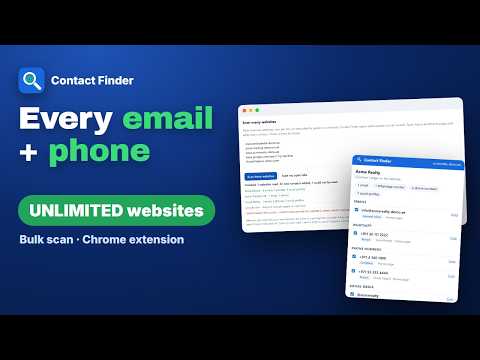
Find emails, phones, WhatsApp and social profiles on business websites. Scan unlimited websites in bulk. No sign-up.
Scan UNLIMITED websites in bulk and get every email, phone number and WhatsApp number they publish. No sign-up, no credits, no daily limits. Contact Finder shows you every way to contact a business, straight from its website. Paste a list of hundreds of websites, or scan all your open tabs, and it collects the contacts into one list you can download to Excel. WHO IT IS FOR • Sales teams building prospect lists • Lead generation agencies and freelancers • Marketers and outreach teams • Recruiters looking for company contacts • Business owners finding suppliers, partners and distributors • Anyone who copies contact details from websites by hand today Open a company's website, click the Contact Finder icon, and it lists the email addresses, phone numbers, WhatsApp™ numbers, addresses and social media profiles published on the site. It also checks the site's Contact, Team, About and Branches pages for you, because that is where most contact details are. SCAN UNLIMITED WEBSITES IN BULK • Paste a list of websites, as many as you want, and Contact Finder reads each one and its contact pages, then adds everything to your list • Or scan the websites already open in your browser tabs • Live progress, a stop button and an adjustable pause between websites • Websites with only a contact form are saved with the link to that form WHO EACH CONTACT BELONGS TO Websites often list many addresses: a general inbox, departments, team members and branches. Contact Finder labels each one as a general inbox, a department, a person (with their name when the page shows it) or a branch (with the branch name). Phone numbers and social media profiles are labelled too: the company's own, or a team member's, with their name. CHECK EMAILS BEFORE YOU WRITE • Flags typing mistakes in email addresses and temporary throwaway inboxes • Checks whether each email's domain can receive email at all, so you skip addresses that will bounce YOUR CONTACT LIST, ORGANISED • Full-page list with search and filters by type, status and email check • Mark contacts as Contacted, Replied, Not interested or Customer • See which website builder or shop system each business uses • Optional first WhatsApp message with the person's or business name filled in, added to every chat link. You still read and press Send yourself CLEAN, READY-TO-USE DATA • Phone numbers in international format, with the country detected from the website • Office and branch addresses, with a map link for each • Social media profiles with their handles • Hidden email addresses decoded • Junk left out: no-reply addresses, image file names, dates, fax numbers and share buttons DOWNLOAD THE WAY YOU WORK Excel, CSV, phone numbers only (send-ready), a contacts file for your phone, or copy the table straight into a spreadsheet. PRIVATE BY DESIGN • Everything runs on your computer. Nothing you find is sent to us or anyone else • Reads other websites only when you ask it to, after Chrome asks for your permission • The email check sends only domain names (like acme.com) to a public DNS service, never the addresses • No account, no sign-up, with no limits on websites, contacts or downloads It works on businesses' own websites, not on search engines or social networks. Made by LeadTrapper (https://useleadtrapper.com/). Want to message the contacts you collect? The LeadTrapper app for Windows has a bulk sender with safe delays. Please use the contacts you collect lawfully and follow the anti-spam and privacy rules of the places you contact. WhatsApp is a trademark of WhatsApp LLC. Contact Finder is not affiliated with or endorsed by WhatsApp or Meta.
0 out of 5No ratings
Details
- Version1.1.0
- UpdatedOctober 23, 2026
- Size103KiB
- LanguagesEnglish
- DeveloperNGSLWebsite
16782 Hoskins Lane Apt C Huntington Beach, CA 92649-3913 USEmail
hello@useleadtrapper.comPhone
+1 708-673-9504 - TraderThis developer has identified itself as a trader per the definition from the European Union and committed to only offer products or services that comply with EU laws.
- D-U-N-S125277824
Privacy

Contact Finder: Emails, Phones & WhatsApp – LeadTrapper has disclosed the following information regarding the collection and usage of your data. More detailed information can be found in the developer's privacy policy.
Contact Finder: Emails, Phones & WhatsApp – LeadTrapper handles the following:
This developer declares that your data is
- Not being sold to third parties, outside of the approved use cases
- Not being used or transferred for purposes that are unrelated to the item's core functionality
- Not being used or transferred to determine creditworthiness or for lending purposes
Support
For help with questions, suggestions, or problems, visit the developer's support site