


總覽
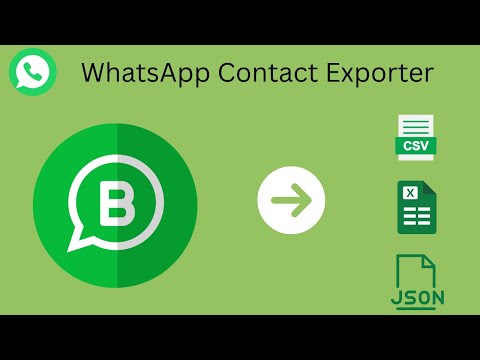
匯出 WhatsApp 聯絡人,將電話號碼與姓名儲存為 CSV、Excel 或 JSON,輕鬆完成備份。
🚀 WhatsApp Contact Exporter – Extract & Save WhatsApp Contacts Easily! Transform how you manage and download your WhatsApp contacts with WhatsApp Contact Exporter – the ultimate extension for seamless contact extraction and export. Perfect for individuals, marketers, and businesses wanting to organize or back up their WhatsApp data with ease. 🌟 Key Features 1. Effortless WhatsApp Contact Extraction ✅ Export contacts from four different sources: Contacts, Groups, Chats, and Labels. ✅ Filter contacts by type — All Contacts, Have unread messages, or No unread messages. ✅ Save time and avoid manual copy-pasting. 2. Multiple Export Formats 📁 🔹 Export your contacts in CSV, JSON, or Excel (XLSX) formats. 🔹 Ideal for importing into CRMs, marketing tools, spreadsheets, or backups. 🔹 Compatible with Excel, Google Sheets, and other popular data apps. 3. Detailed Contact Data 📝 Each exported file includes valuable details for every contact, such as: • Phone Number • Formatted Phone • Country Code & Country Name • My Contact (Yes/No) • Saved Name • Public Name • Business Account (Yes/No) • Admin (Yes/No) • Is Me (Yes/No) • Blocked (Yes/No) • Group Name • Labels This comprehensive data helps with WhatsApp contact management, business analysis, and data organization. 🔧 How to Use WhatsApp Contact Exporter 1️⃣ Open WhatsApp Web in your browser. 2️⃣ Look for the Export Contacts button above your chat list and click it. 3️⃣ Choose a tab — Contacts, Groups, Chats, or Labels. 4️⃣ Select the filter or options for the chosen tab. 5️⃣ Click Start Scraping to begin extraction. 6️⃣ Export your contact data in CSV, JSON, or Excel format. Your exported files will be organized into folders automatically, based on the WhatsApp account you scraped. 🔗 More Leads Extractor In addition to Apollo.io scraping, this extension includes a “More leads extractor” tab that introduces you to other lead generation tools for various platforms, including: • Instagram Email Scraper • X/Twitter Leads Scraper • Bing Maps Leads Scraper • Facebook Groups Member Scraper 💎 Go Pro Upgrade to Pro and unlock: • 📇 Unlimited contacts export • 🛠️ Priority support 🔒 Data Privacy & Security ✅ Your data never leaves your device. ✅ We do NOT collect, store, or transmit your personal data to our servers. ✅ Enjoy complete control over your WhatsApp information. ⚠️ Disclaimer WhatsApp Contact Exporter is an independent tool created by Microplugin. It is not affiliated with, endorsed by, or connected to WhatsApp LLC.
詳細資料
隱私權

這位開發者就你的資料做出下列聲明:
- 除經核准的用途外,不會將你的資料販售給第三方
- 不會基於與商品核心功能無關的目的,使用或轉移資料
- 不會為了確認信用度或基於貸款目的,使用或轉移資料
支援
如有疑問或建議,請前往開發人員的支援網站


