


Overview
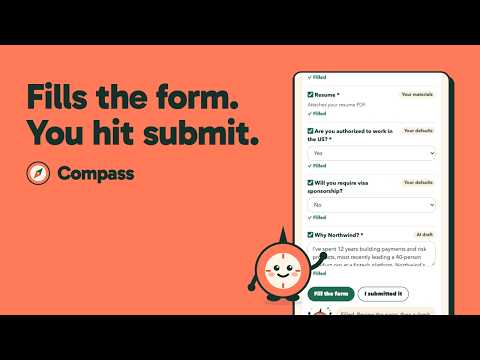
Fill job applications from your Compass profile. You review every answer, and you submit yourself.
Compass Apply fills in job applications for you using your Compass OS profile, without taking control away from you. Open an application form on Greenhouse, Lever, Ashby, Workday, or a company career site, click the Compass Apply icon, and choose "Read this form." Compass Apply finds every question, answers what your profile already covers (name, contact details, work history, links, work authorization), and drafts answers to open questions with AI using only facts from your profile. It also attaches your tailored resume and cover letter. You stay in charge: • Review and edit every answer in the side panel before anything is filled. • Compass Apply never submits an application. It blocks submission while it fills, and you click Submit yourself. • It only reads pages where you click "Read this form", and asks for permission for each site. Requires a free Compass account at compass-os.dev. Your answers are saved to your Compass pipeline, so you can track every application and get follow-up reminders. Privacy: form questions are sent to your own Compass account to draft answers. Nothing is sold or used for advertising. Full policy: https://compass-os.dev/privacy
0 out of 5No ratings
Details
- Version0.1.4
- UpdatedOctober 14, 2026
- Size27.98KiB
- LanguagesEnglish (United States)
- DeveloperWebsite
Email
support@compass-os.dev - Non-traderThis developer has not identified itself as a trader. For consumers in the European Union, please note that consumer rights do not apply to contracts between you and this developer.
Privacy

Compass Apply has disclosed the following information regarding the collection and usage of your data. More detailed information can be found in the developer's privacy policy.
Compass Apply handles the following:
This developer declares that your data is
- Not being sold to third parties, outside of the approved use cases
- Not being used or transferred for purposes that are unrelated to the item's core functionality
- Not being used or transferred to determine creditworthiness or for lending purposes
Support
For help with questions, suggestions, or problems, visit the developer's support site