

Open Youtube Settings

Overview
Block YouTube channels in one click, plus speed, crop, clips and colour. Open source, clean and collects no data.
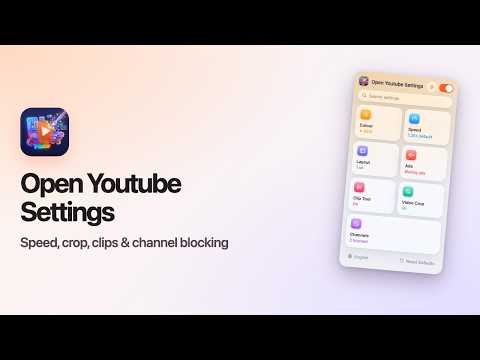
Open Youtube Settings puts the controls you wish YouTube had right into its own player. ✓ Open source ✓ Clean interface ✓ Collects no data https://github.com/opendino/open-youtube-settings BLOCK CHANNELS • Hover over a recommended video and press 🚫 — every video from that channel is covered on home, search and the end screen. • Unblock any time from the popup. SPEED • The current speed sits in YouTube's control bar — click it for presets and fine steps. • A default speed for every video, or keep the last one between videos. • Your own keyboard shortcuts to speed up, slow down and reset. CROP • Drag over the video like taking a screenshot; it keeps playing, zoomed to fit or fill the player. • One click shows the whole video again. CLIPS • Mark a start and an end, preview the loop and save it as a video file. COLOUR • Brightness, blue-light filter and colour inversion, with shortcuts to adjust them. A CALMER YOUTUBE • Turn off Shorts completely — shelves, search results, menu entry and channel tab. • Hide the home feed, the sidebar or the playlist. • Block channels from recommendations with one click. • Mute ads automatically; the sound returns when the ad ends. • Open channels straight on their Videos tab. ALSO • One switch turns everything off. • Search across all settings. • Light, dark or automatic appearance. • English, Türkçe, Deutsch, Español, Français, Italiano, Português (Brasil), Nederlands, Polski, Русский, Українська, العربية, हिन्दी, Bahasa Indonesia, Tiếng Việt, ไทย, 한국어, 日本語, 简体中文, 繁體中文. PRIVACY No data is collected or sent anywhere. Settings stay in your browser.
0 out of 5No ratings
Details
- Version0.12
- UpdatedNovember 9, 2026
- Offered byOpenDino
- Size170KiB
- Languages20 languages
- Developer
Email
openapp@falkan.net - Non-traderThis developer has not identified itself as a trader. For consumers in the European Union, please note that consumer rights do not apply to contracts between you and this developer.
Privacy

This developer declares that your data is
- Not being sold to third parties, outside of the approved use cases
- Not being used or transferred for purposes that are unrelated to the item's core functionality
- Not being used or transferred to determine creditworthiness or for lending purposes
Support
For help with questions, suggestions, or problems, visit the developer's support site