

Colvio for Dynamics 365
2 ratings
)
Overview
Colvio — Data Explorer, Loader & Inspector for Microsoft Dynamics 365 / Dataverse.
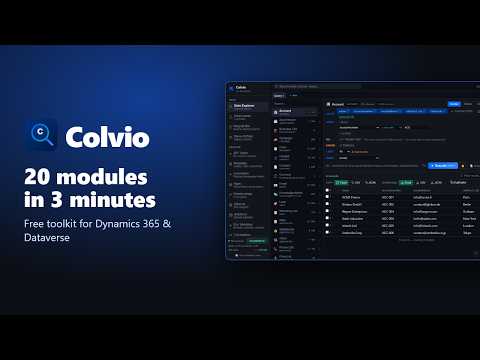
Colvio — the free, open-source toolkit for Microsoft Dynamics 365 / Dataverse, right in your browser. Query, load, inspect, test the Web API and audit your org from one side panel. Colvio uses the session you are already signed in with: no app registration, no API key, no account, no subscription. It talks only to your own Dynamics 365 host — no analytics, no telemetry, no external server. 21 modules for consultants, admins and developers. Colvio adapts to your rights: admin-only modules stay hidden for standard users, and every write still goes through Dataverse's own security. WHAT'S NEW • Native SQL — run SELECT straight on Dataverse (the Web API ?sql= option): real JOINs, DISTINCT, server-side GROUP BY. Or switch to the transpiled engine (SQL → FetchXML) for HAVING / TOP and for environments without ?sql=. • Teams — every team with its type (Owner, Entra group, Access), its members and the security roles they inherit: the answer to "why does this user have that right?". • Storage — which tables fill your capacity: row counts for every table in seconds, Database / File / Log split, file storage per table, and the cleanup that applies. • Data model — relationship graph sorted business-first, and an ERD that draws N:N relationships. • Environment badge based on Microsoft's own organization type: production is always recognised, and production confirmations stay on. • Privacy — filter values, SQL and FetchXML literals are redacted from query histories. DATA • Data Explorer — query any table with a visual Builder, OData, FetchXML or SQL. No 5,000-row cap, virtual scrolling on 10k+ rows, AND/OR filter groups, relational filters ("accounts with no open opportunity"), parent and child expands. Edit cells in place, or bulk update / delete on a fast $batch pipeline — values typed and validated against the column's metadata, lookups included. Duplicate finder, query tabs, history, saved queries, Excel / CSV / JSON exports. • Data Loader — CSV, TSV or Excel in; CREATE, UPSERT (GUID or alternate key), UPDATE-only and DELETE. Parallel $batch (about 3–4k records per second), a live per-row log with the exact Dataverse error, label → option value transforms, EU / US dates, mapping templates. Safety net: dry run, rollback of what a run created, delta mode, pre-flight checks, retry of transient failures only, optional bypass of custom plug-ins and workflows. • Recycle Bin — restore deleted records server-side, with who deleted them and every platform limitation explained. • Show All Data — every field of the record open in your tab, with logical names and types, editable in place (field security still enforced). Field-level change history, and a Business Process Flow manager for admins. DEVELOP • API Tester — a Postman for Dataverse with automatic authentication: GET / POST / PATCH / PUT / DELETE, header autocomplete, JSON editor with validation, templates, a history with secrets redacted, copy as cURL. • Metadata — tables, columns and option sets, Virtual and Elastic table filters, data-dictionary exports. • Automation — every plug-in step, classic workflow, cloud flow, business rule, action and business process flow registered in the org. • Apps — what each model-driven app really exposes, including the "all forms / all views" state the maker portal never shows; view filters decoded to plain language. • Relationships & Schema — an interactive relationship graph, and an ERD canvas exportable as PNG, SVG or Mermaid. • Solutions — components resolved to readable names, and solution compare within an org or across orgs. • Environment Variables — defaults, overrides, and the classic trap surfaced first: variables with no value at all. • Translations — field labels in every provisioned language, CSV export / import, automatic publish. ADMIN • Users & Licenses — access mode, license type, roles, last sign-in; unused licenses at a glance. • Business Units — hierarchy tree and org chart, members, bulk moves by pasting a list of emails. • Security Audit — role privileges in plain words, a table × operation matrix, sensitive rights flagged, who holds each role (users and teams), and an org-wide "who can do what" scan. Bulk role assignment. • Teams — owner, Entra group and access teams, their members and their inherited roles. • Adoption — access events, DAU / WAU / MAU and stickiness, adoption per business unit, paid seats that never sign in, and a 5-slide PowerPoint report with native charts. • Login History — sign-in timeline per user, from the audit log. • Storage — row counts and file storage per table, the tables that grow silently and how to clean them. • System Ops — stuck system jobs (bulk cancel / resume), plug-in trace logs, cloud flow run history. SAFE BY DESIGN • Your existing Microsoft Entra ID session — no credentials stored. • Requests go only to the Dynamics 365 host you are on; the API Tester refuses any other domain. • Typed confirmation before bulk deletes, confirmation before bulk updates, an extra confirmation on production. • Input validation against OData injection; spreadsheet formula protection on every export. • Filter values and secrets are redacted from histories. • Colvio cannot bypass Dataverse permissions: what you can't do in Dynamics 365, you can't do in Colvio. Works on every Dynamics 365 / Dataverse region (*.dynamics.com). Dark and light themes, English / French interface, command palette (Ctrl+K). 100% free and open source — no freemium, no Pro tier. Source code and documentation: github.com/zmissoum/colvio
5 out of 52 ratings
Details
- Version1.11.176
- UpdatedOctober 8, 2026
- Size674KiB
- LanguagesEnglish
- Developer
Email
zakaria.missoum.pro@gmail.com - Non-traderThis developer has not identified itself as a trader. For consumers in the European Union, please note that consumer rights do not apply to contracts between you and this developer.
Privacy

This developer declares that your data is
- Not being sold to third parties, outside of the approved use cases
- Not being used or transferred for purposes that are unrelated to the item's core functionality
- Not being used or transferred to determine creditworthiness or for lending purposes