


Overview
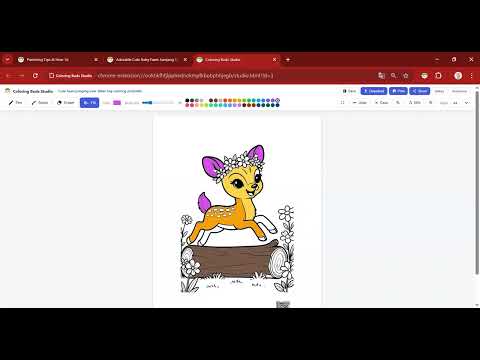
Save coloring pages from coloringbuds.com and color them offline in a built-in studio. Download or print as A4/Letter
Coloring Buds Studio — color pages from coloringbuds.com offline. Add any coloring page from coloringbuds.com to your local Studio with one click, then color it directly in your browser. Everything is saved in local storage — no account, no cloud, no tracking. Features • One-click "Add to Studio" overlay on every coloring page at coloringbuds.com • Built-in two-canvas drawing engine: pen, eraser, flood fill, undo/redo • Save progress locally — resume any time, fully offline • Export the finished page as a PNG image • Print at A4 / Letter size with proper margins • Built-in gallery to manage your saved pages • 23 UI languages Privacy • Works only on coloringbuds.com — no data collection • Saved images stay in IndexedDB on your device • No analytics, no ads, no remote calls beyond fetching the page image you chose
0 out of 5No ratings
Details
- Version1.0.1
- UpdatedMay 11, 2026
- Size67.86KiB
- LanguagesEnglish (United States)
- DeveloperWebsite
Email
contact@coloringbuds.com - Non-traderThis developer has not identified itself as a trader. For consumers in the European Union, please note that consumer rights do not apply to contracts between you and this developer.
Privacy

Coloring Buds Studio has disclosed the following information regarding the collection and usage of your data. More detailed information can be found in the developer's privacy policy.
Coloring Buds Studio handles the following:
This developer declares that your data is
- Not being sold to third parties, outside of the approved use cases
- Not being used or transferred for purposes that are unrelated to the item's core functionality
- Not being used or transferred to determine creditworthiness or for lending purposes
Support
For help with questions, suggestions, or problems, visit the developer's support site