

Color Picker & Eyedropper – WCAG Contrast Checker

Overview
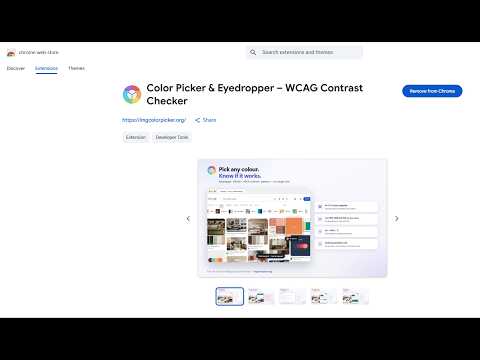
Eyedropper color picker with instant WCAG + APCA contrast. Grab HEX, RGB, HSL from any page or image. OKLab palettes, .ase export.
A color picker and eyedropper for Chrome that also tells you whether the color you picked is readable. Grab any HEX, RGB or HSL code from a web page or image, then get a WCAG and APCA contrast verdict in the same click. Most color pickers stop at the hex code. This one checks the color against the background it is actually sitting on, using WCAG 2 — the current legal standard — and APCA, the perceptual model drafted for WCAG 3. The two disagree more often than you would expect, which is exactly why you want to see both. COLOR PICKER AND EYEDROPPER • Pick any pixel on a web page with an 11×11 pixel magnifier, so you can see precisely which pixel you are taking, with the live color value as you move. • Use it as a color picker from image content, not just page elements — photos, logos, gradients, even a paused video frame. Anything the page can display. • Copy color codes in HEX, RGB, HSL, HSB or CMYK. Set your preferred format and it leads the list, or gets copied automatically the moment you pick. • Alt + Shift + C starts the eye dropper without opening the panel. CONTRAST CHECKER — WCAG AND APCA • A WCAG 2 color contrast ratio, with AA and AAA results for normal and large text, checked against the real background behind what you picked. • The APCA Lc value alongside it. Very few color pickers report APCA at all, and it is the model that will underpin the next accessibility standard. • A plain-English verdict — "Larger text, 18px+ bold or 24px" — instead of a bare number you have to interpret yourself. COLOR PALETTE GENERATOR • Extract a color palette from any web page in OKLab, a perceptually uniform color space. Most palette tools quantise in raw RGB, which folds distinct blues into a single swatch. This does not. • Export the palette as CSS custom properties, JSON, PNG, or .ase — the Adobe Swatch Exchange file that opens directly in Photoshop, Illustrator and InDesign. WHOLE-PAGE ACCESSIBILITY AUDIT • One click reports every text-and-background color combination on the page that fails WCAG or APCA, grouped by pair, with the CSS selectors and how often each one occurs. • Plus a full color inventory — every color the page uses, not only the failures. • Useful for a quick a11y check before you ship, or for auditing a site you have just inherited. WHO IT IS FOR Web designers and front-end developers choosing colors that have to pass an accessibility review. Anyone who needs a hex color code off a page and does not want to open an image editor to get it. If you spell it colour, this is a colour picker and colour contrast checker too. Same tool, same shortcut, either spelling. ABOUT PERMISSIONS This extension asks for activeTab, not access to all websites. It can only read the tab you explicitly invoke it on, and only at that moment. Nothing is retained afterwards. Nothing you pick is uploaded. Colors, history and preferences stay in your own browser. There is no account, no sign-up, and no tracking. The download permission is optional and only requested the first time you export a palette file. Decline it and everything else still works. HONEST LIMITS Chrome does not allow extensions to run on chrome:// pages, the Web Store, or the PDF viewer. The extension says so rather than failing silently. When text sits on a background image or gradient, the color behind it depends on where it falls on the picture and cannot be read from CSS. The page audit counts those and skips them rather than guessing — a contrast tool that invents numbers is worse than no tool at all. Free, with no account and no paid tier. Made by Tech Interval LLC. The same color tools run in the browser at imgcolorpicker.org, including a reference for 4,336 named colors and typographic metrics measured from 54 open-source font binaries.
5 out of 53 ratings
Details
- Version1.0.0
- UpdatedAugust 24, 2026
- Size2.66MiB
- LanguagesEnglish
- DeveloperWebsite
Email
onlinephotosoft@gmail.com - Non-traderThis developer has not identified itself as a trader. For consumers in the European Union, please note that consumer rights do not apply to contracts between you and this developer.
Privacy

This developer declares that your data is
- Not being sold to third parties, outside of the approved use cases
- Not being used or transferred for purposes that are unrelated to the item's core functionality
- Not being used or transferred to determine creditworthiness or for lending purposes
Support
For help with questions, suggestions, or problems, please open this page on your desktop browser