

CodeSpeak: AI Code Explainer & Speaker

Overview
🤖 Explains and speaks code using AI models.
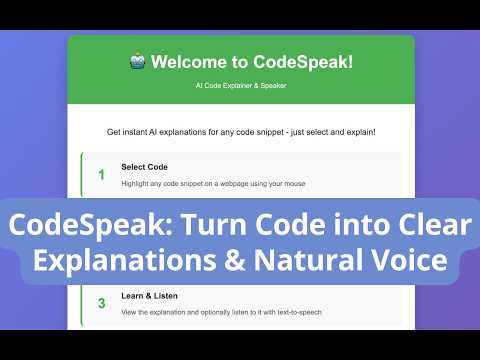
CodeSpeak: AI Code Explainer & Speaker Helps you understand code faster by generating clear AI explanations using AI models and optionally reading them aloud — in plain, natural language. The extension can analyze selected code snippets and provide easy-to-understand explanations directly in your browser, powered by AI model. No API key needed - it's handled securely in the backend. Perfect for developers, students, or anyone curious about how code works. ✨ Features • AI Code Explanation Instantly generate natural language explanations for selected code snippets using AI models. • Text-to-Speech Listen to the explanation while reading it using browser's built-in speech function. • Cost Effective models Will update with more cost effectively models. • Lightweight & Fast Runs directly in your browser. 🚀 How to Use • Explain Code You can use either method: Method 1 - Select a code snippet Right click Click AI Explain & Speak Code Method 2 - Select a code snippet Select AI Code Explanation pop up button (The pop up button can be turned off in settings.) 💡 Ideal For • Software developers • Programming students • Anyone wanting to understand code in natural language • Learning new codebases • Understanding unfamiliar code quickly • Prefer listening rather than reading code, or have visual challenges / bad eyesight 🔒 Privacy • No API key required - handled securely in backend • No personal data is collected or sold • Selected code is only sent to AI service to generate explanations • This extension works for websites only, local files (file://) and special protocols are not supported due to Chrome security restrictions. • This extension only accesses code you explicitly select. Your personal data stays private and secure. We never collect passwords, personal information, or track your browsing. Contact For any question or feedback, you can contact me via email: ai.code.explainer@gmail.com
0 out of 5No ratings
Details
- Version1.0.3
- UpdatedApril 12, 2026
- Offered bymelaine7753
- Size41.61KiB
- LanguagesEnglish
- Developer
Email
melaine7753@gmail.com - Non-traderThis developer has not identified itself as a trader. For consumers in the European Union, please note that consumer rights do not apply to contracts between you and this developer.
Privacy

CodeSpeak: AI Code Explainer & Speaker has disclosed the following information regarding the collection and usage of your data. More detailed information can be found in the developer's privacy policy.
CodeSpeak: AI Code Explainer & Speaker handles the following:
This developer declares that your data is
- Not being sold to third parties, outside of the approved use cases
- Not being used or transferred for purposes that are unrelated to the item's core functionality
- Not being used or transferred to determine creditworthiness or for lending purposes
Support
For help with questions, suggestions, or problems, please open this page on your desktop browser