

LeetScope – AI Code Insights for LeetCode
10 ratings
)
Overview
AI-powered analysis that explains time & space complexity, optimality, and better approaches for LeetCode solutions.
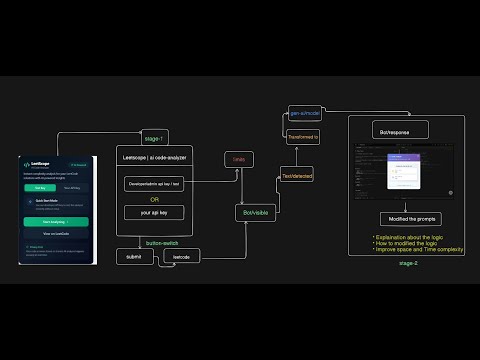
🚀 LeetScope – AI Code Insights for LeetCode LeetScope is a powerful Chrome extension built exclusively for LeetCode users. It goes beyond basic Big-O notation by providing AI-powered insights that help you truly understand, optimize, and improve your solutions. Whether you're preparing for interviews or sharpening your DSA skills, LeetScope gives you instant, meaningful feedback on your code. 🔥 Key Features 📊 Smart Complexity Analysis Instantly analyzes time and space complexity of your LeetCode solutions Clearly explains how your algorithm scales with input size Identifies whether your solution is optimal or improvable 🧠 AI-Powered Explanations Plain-English breakdown of how your code works Explains why the complexity is what it is Helps beginners and intermediates build strong intuition 🔁 Alternative & Optimized Approaches Suggests better or more efficient solutions when available Highlights trade-offs between different approaches Helps you think like an interviewer 🧩 Data Structures & Patterns Detection Automatically detects data structures used (arrays, hash maps, stacks, etc.) Reinforces correct usage of DSA patterns ⚡ Seamless LeetCode Integration Works directly inside the LeetCode editor No setup, no copy-paste — just analyze and learn Designed specifically for LeetCode workflows 🔒 Privacy First - Your code stays on your device - No storage, no external sharing - Secure and developer-friendly by design 🎯 Why Use LeetScope? ✅ Advantages Saves time by eliminating manual complexity analysis Removes guesswork with AI-backed insights Helps validate whether your solution is interview-ready 🏆 Benefits Ideal for students, competitive programmers, and interview prep Builds strong complexity-aware coding habits Improves confidence before submitting solutions Turns LeetCode practice into real learning 💡 Analyze. Understand. Optimize. Install LeetScope today and transform how you approach LeetCode problems.
5 out of 510 ratings
Details
- Version2.1.1
- UpdatedJanuary 24, 2026
- Offered bywebuildextension
- Size595KiB
- LanguagesEnglish
- Developercode analyzer
45th km, NH - 209,Jakkasandra Post, Bengaluru - Kanakapura Rd, Bengaluru, Karnataka 562112 Bengaluru, Karnataka 562112 INEmail
webuildextension@gmail.com - Non-traderThis developer has not identified itself as a trader. For consumers in the European Union, please note that consumer rights do not apply to contracts between you and this developer.
Privacy

LeetScope – AI Code Insights for LeetCode has disclosed the following information regarding the collection and usage of your data. More detailed information can be found in the developer's privacy policy.
LeetScope – AI Code Insights for LeetCode handles the following:
This developer declares that your data is
- Not being sold to third parties, outside of the approved use cases
- Not being used or transferred for purposes that are unrelated to the item's core functionality
- Not being used or transferred to determine creditworthiness or for lending purposes
Support
For help with questions, suggestions, or problems, please open this page on your desktop browser