


Overview
Turn every new tab into an operating system environment: desktops, notes, tasks, widgets, calendars, focus tools, and games.
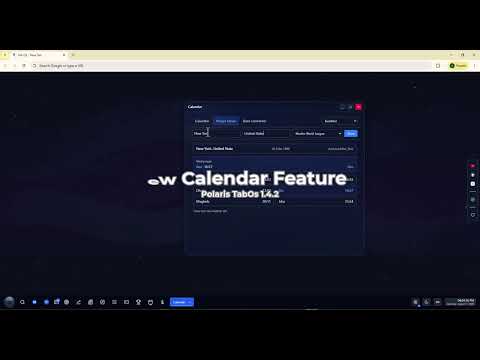
Polaris TabOS Fully Supportted in 16 languages: English | فارسی | العربية | עברית | हिन्दी | 한국어 | ไทย | 简体中文 | 繁體中文 | Español | Português (Brasil) | Русский | 日本語 | Deutsch | Français | Türkçe Turn every new tab into an operating system environment. Polaris TabOS brings bookmarks, notes, tasks, collections, widgets, calendars, focus tools, games, market tools, sports updates, and quick actions together in one local-first browser workspace. WORKSPACE Create multiple desktops with independent wallpapers, folders, shortcuts, notes, todos, and widgets. Customize your workspace with drag-and-drop items, resizable widgets, automatic favicons, glassy or solid surfaces, Picture of the Day wallpapers, and an optional theme that follows sunrise and sunset. SEARCH AND ORGANIZATION Use the Command Palette with Ctrl+K or ⌘K to quickly find bookmarks, notes, todos, collections, desktops, apps, and actions. Create flexible Lists for movies, games, books, software, shopping, research, projects, and other personal collections. Add categories, statuses, tags, priorities, progress, links, notes, and metadata to keep everything organized. You can also save pages or selected text from the popup or browser context menu. CALENDAR AND DAILY TOOLS Polaris includes a full calendar app with multiple calendar systems, date conversion, country-based public holidays, prayer times, currency conversion, historical events, weather, news, clocks, market charts, and other useful desktop widgets. SPORTS HUB Sports Hub brings selected sports information into one organized workspace. Available information may include fixtures, standings, teams, players, leaders, match details, or event data depending on the selected sport and data source. FOCUS Use timed focus sessions with tasks, pause and resume, ambient sounds, history, and visual focus modes. • Focus Shield: block the sites that distract you, only while a session is running • Insights: weekly and monthly views, streaks, your best hours, and a daily goal • Optional breaks between rounds, a countdown on the taskbar, and notifications held until you finish • Start, pause, or resume from any website with Alt+Shift+F GAMES The Games app includes built-in games designed for quick sessions inside your browser workspace: • Chess: play against the computer or a friend on the same device, or analyze a position • Luminex: an original Polaris arcade game — pilot a drone, collect energy, and avoid your own trail • Asterift: an original Polaris deduction game — clear the sector without striking an asteroid OFFLINE SUPPORT When your connection is unavailable, Polaris keeps previously loaded content visible where supported, shows network status, and refreshes online features after reconnection. BACKUP AND PRIVACY Your workspace is stored locally by default. No account is required for local use. You can export and import your workspace manually, or optionally connect Google Drive for backup and restore. Google sign-in is requested only when you choose to connect Google Drive. Polaris does not use remote code. PLATFORM Polaris supports multiple languages, RTL layouts, light and dark themes, multiple calendar systems, and runs entirely as a Chrome extension. On first install, it opens in your browser's language.
5 out of 52 ratings
Details
- Version1.4.7
- UpdatedOctober 1, 2026
- Size4.32MiB
- Languages51 languages
- DeveloperWebsite
Email
brave.shine1992@gmail.com - Non-traderThis developer has not identified itself as a trader. For consumers in the European Union, please note that consumer rights do not apply to contracts between you and this developer.
Privacy

This developer declares that your data is
- Not being sold to third parties, outside of the approved use cases
- Not being used or transferred for purposes that are unrelated to the item's core functionality
- Not being used or transferred to determine creditworthiness or for lending purposes
Support
For help with questions, suggestions, or problems, visit the developer's support site